

Connect to MMI
- Go to console.mpcvault.com and log in.
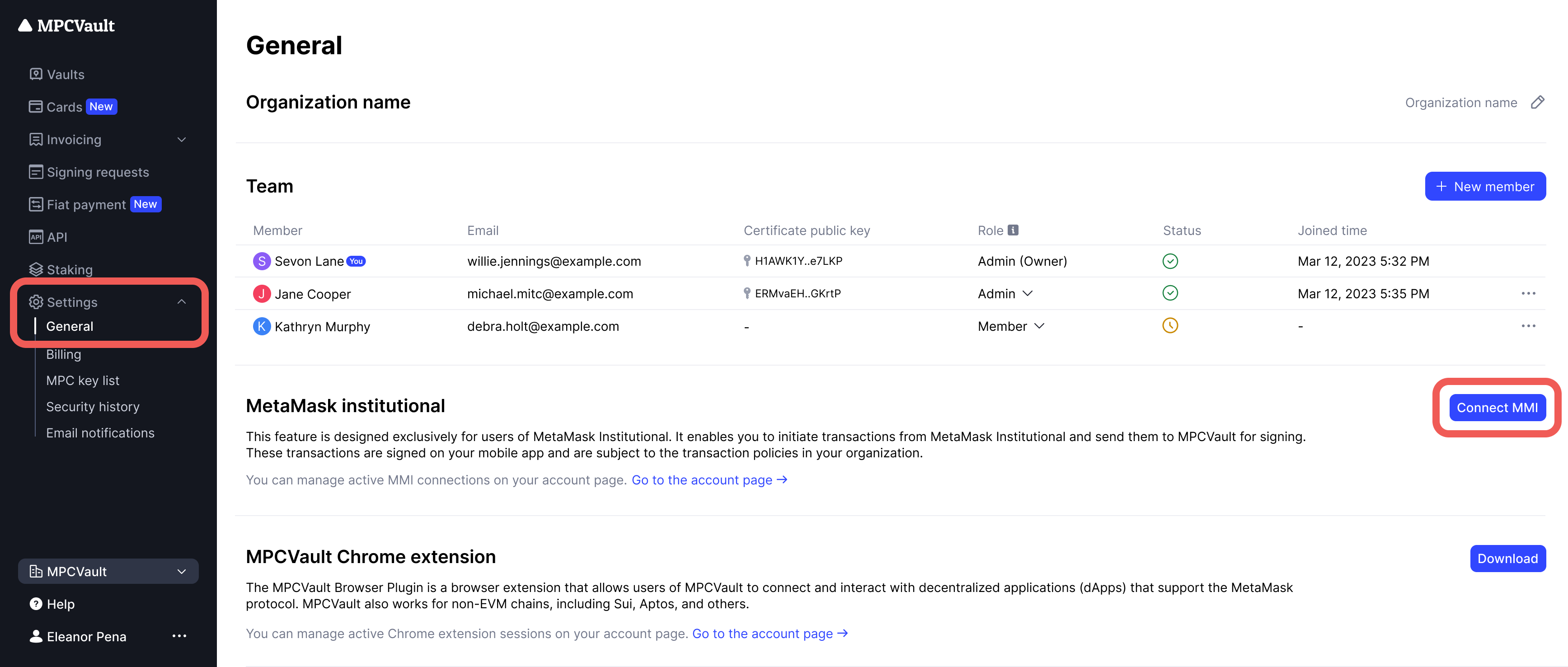
- Navigate to Settings > General > MetaMask Institutional.
- Click Connect MMI to open the MetaMask extension.
- Select the wallets to connect and click Confirm.
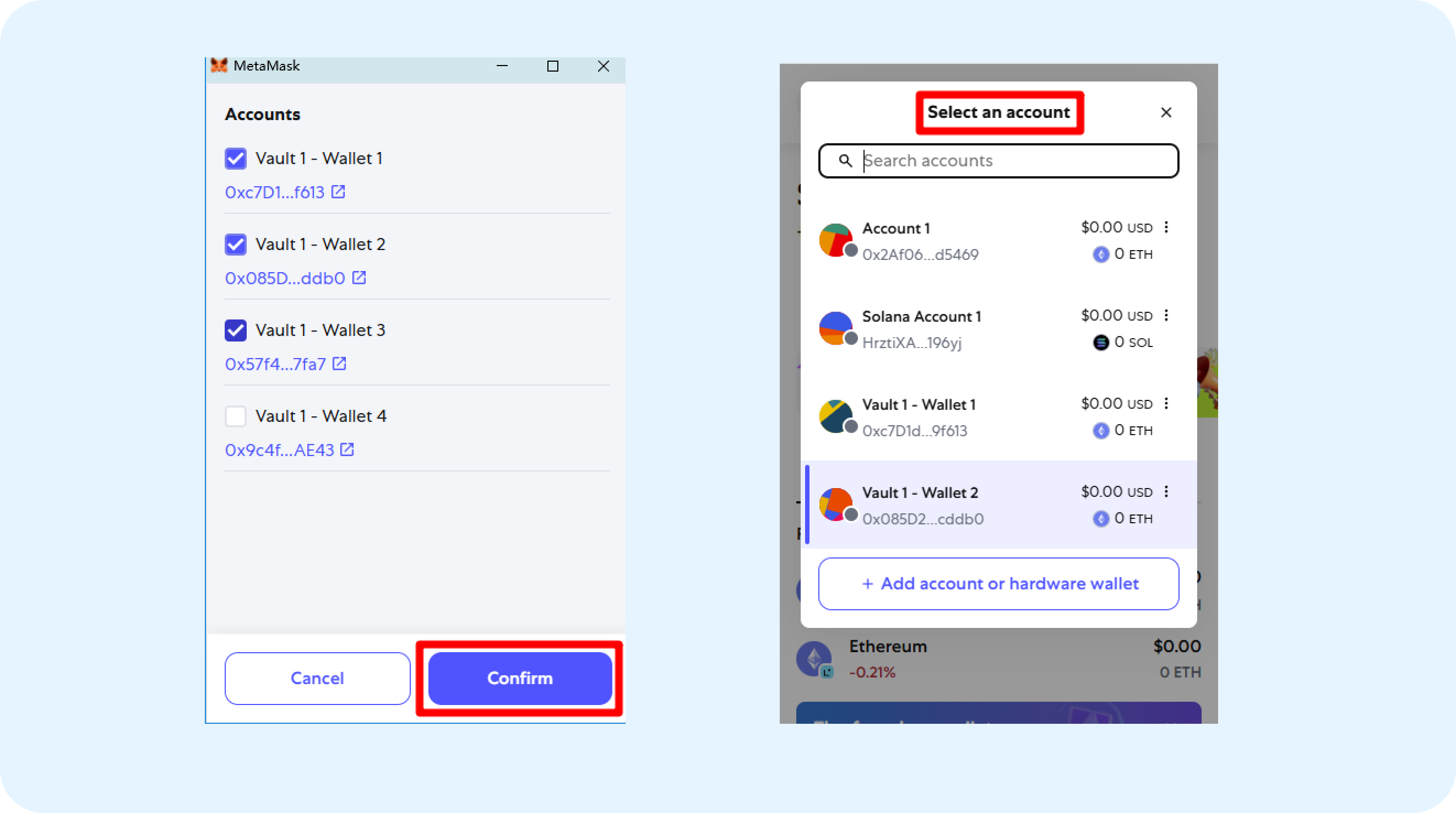
Disable other wallet extensions temporarily to avoid conflicts with MetaMask.
Sign Transactions
- Initiate a transaction from MetaMask Institutional.
- The transaction is forwarded to MPCVault automatically.
- Review the transaction details in MPCVault.
- Sign the transaction in the MPCVault mobile app.