

Getting Started
Complete KYB verification before issuing cards.- Navigate to Cards and click Get started.
- Submit required documents ($10 USD verification fee).
- Wait for approval—the card feature unlocks once verified.
Deposit Funds
Top up your card account with USDC on Ethereum, Polygon, or Solana.Via Web
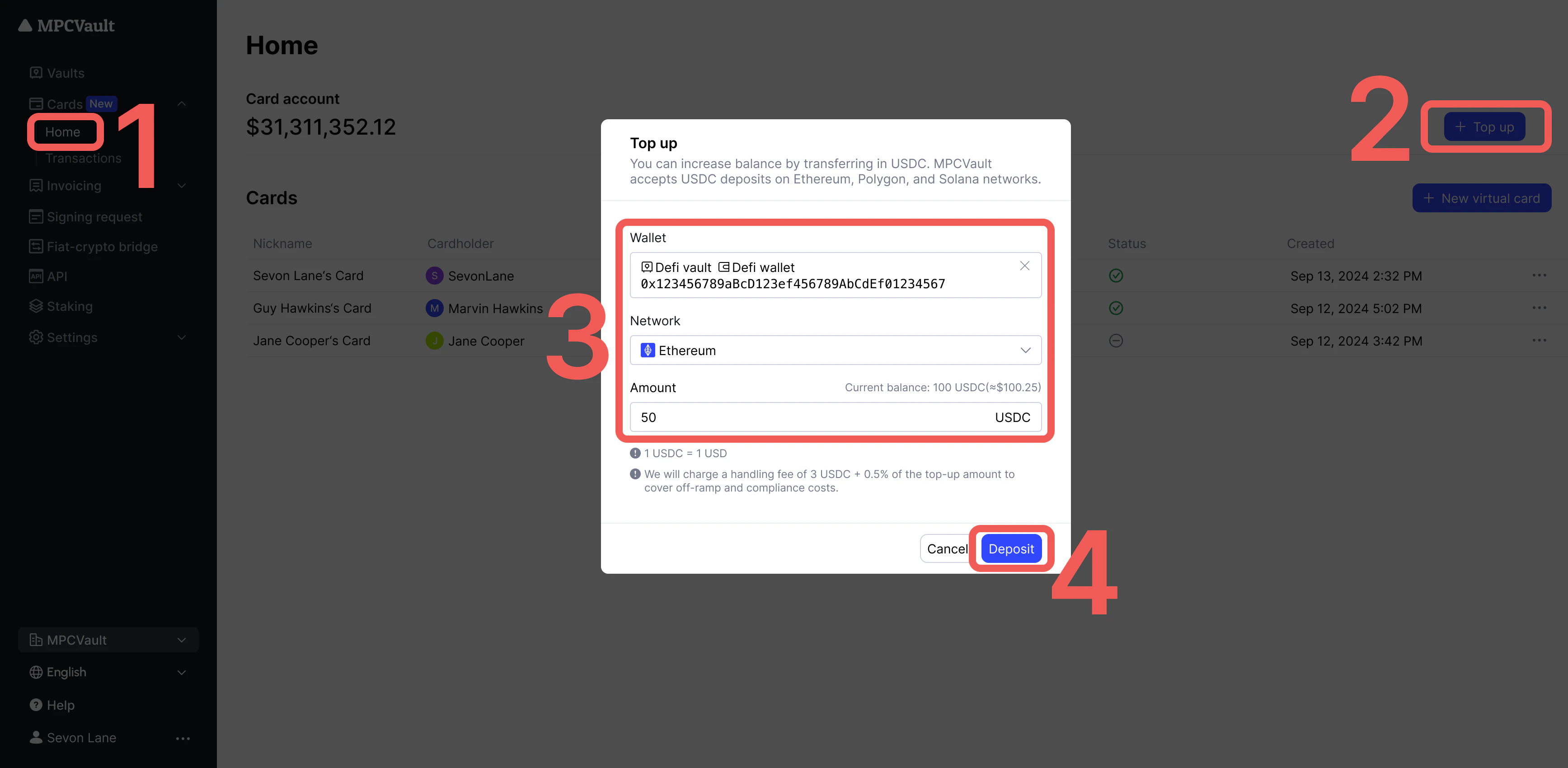
- Go to Cards > Home and click + Top Up.
- Select wallet and network.
- Enter amount and click Deposit.
Via Mobile App
- Go to Card > Top Up.
- Select vault, wallet, and network.
- Enter amount and sign the transaction.
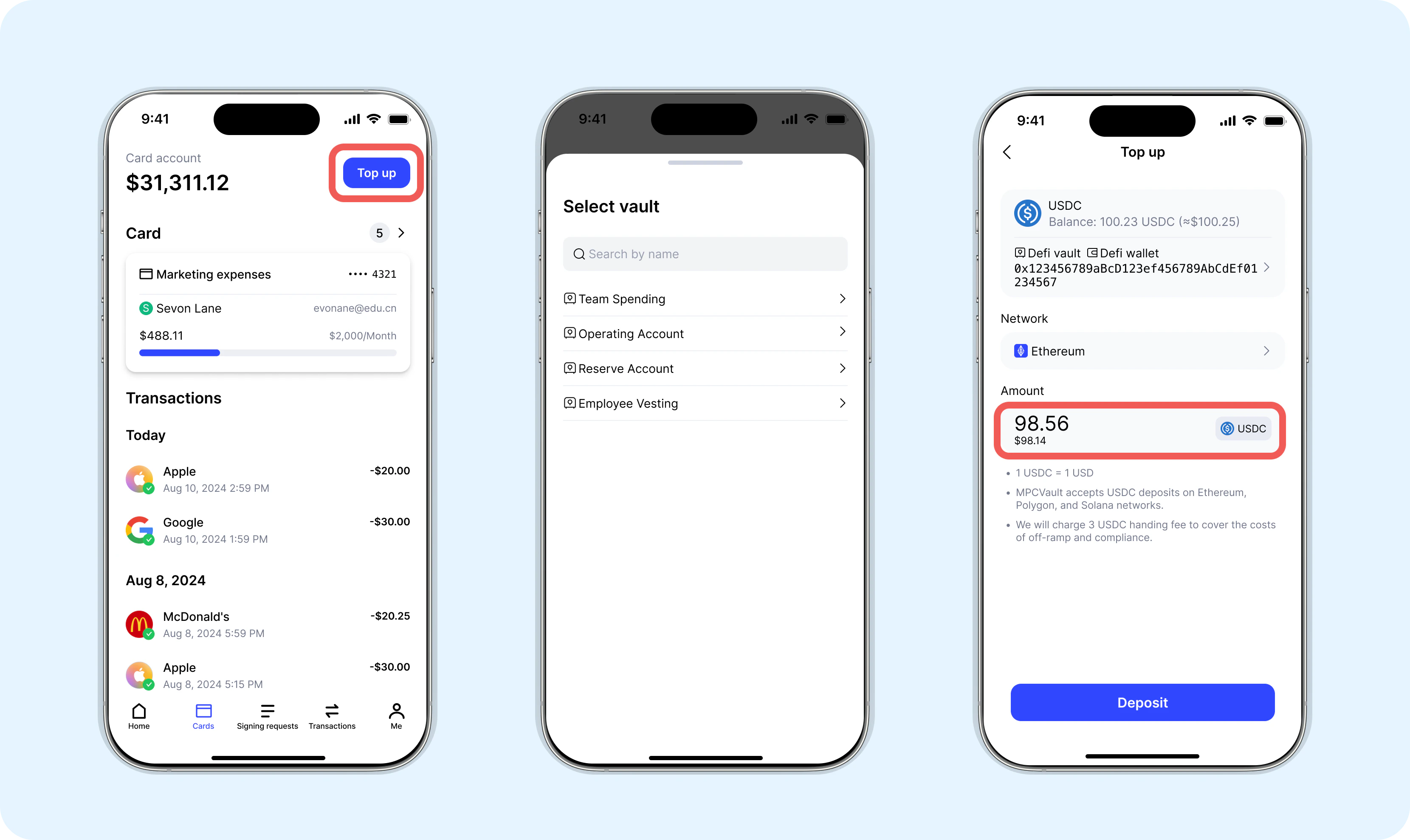
Fee: 3 USDC + 0.5% per deposit. Funds may take a few minutes to credit.
Create Cards
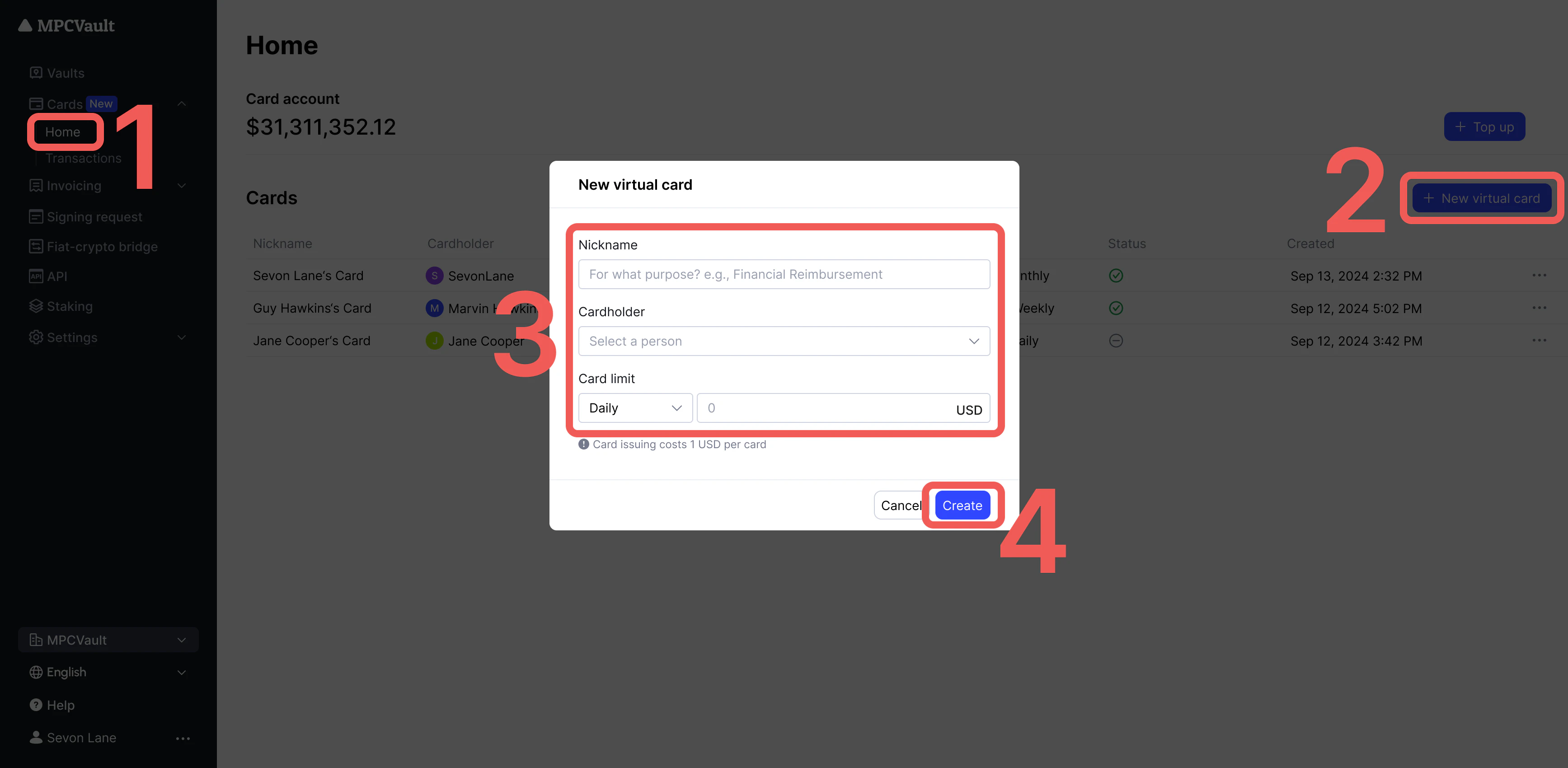
- Go to Cards > Home and click + New Virtual Card.
- Enter card nickname and spending limit.
- Click Create (1 USDC fee per card).
Use Your Card
- In-store: Add to Apple Pay, Google Pay, or AliPay
- Online: Amazon, eBay, subscriptions (Netflix, Spotify), digital services (ChatGPT, Shopify)
- Travel: Flights, hotels, rental cars
- Global: Accepted at 90M+ merchants worldwide
Deactivate Cards
- Find the card in Cards > Home.
- Click … > Deactivate.
- Confirm deactivation.