

Supported assets
Creating a Batch Payment
-
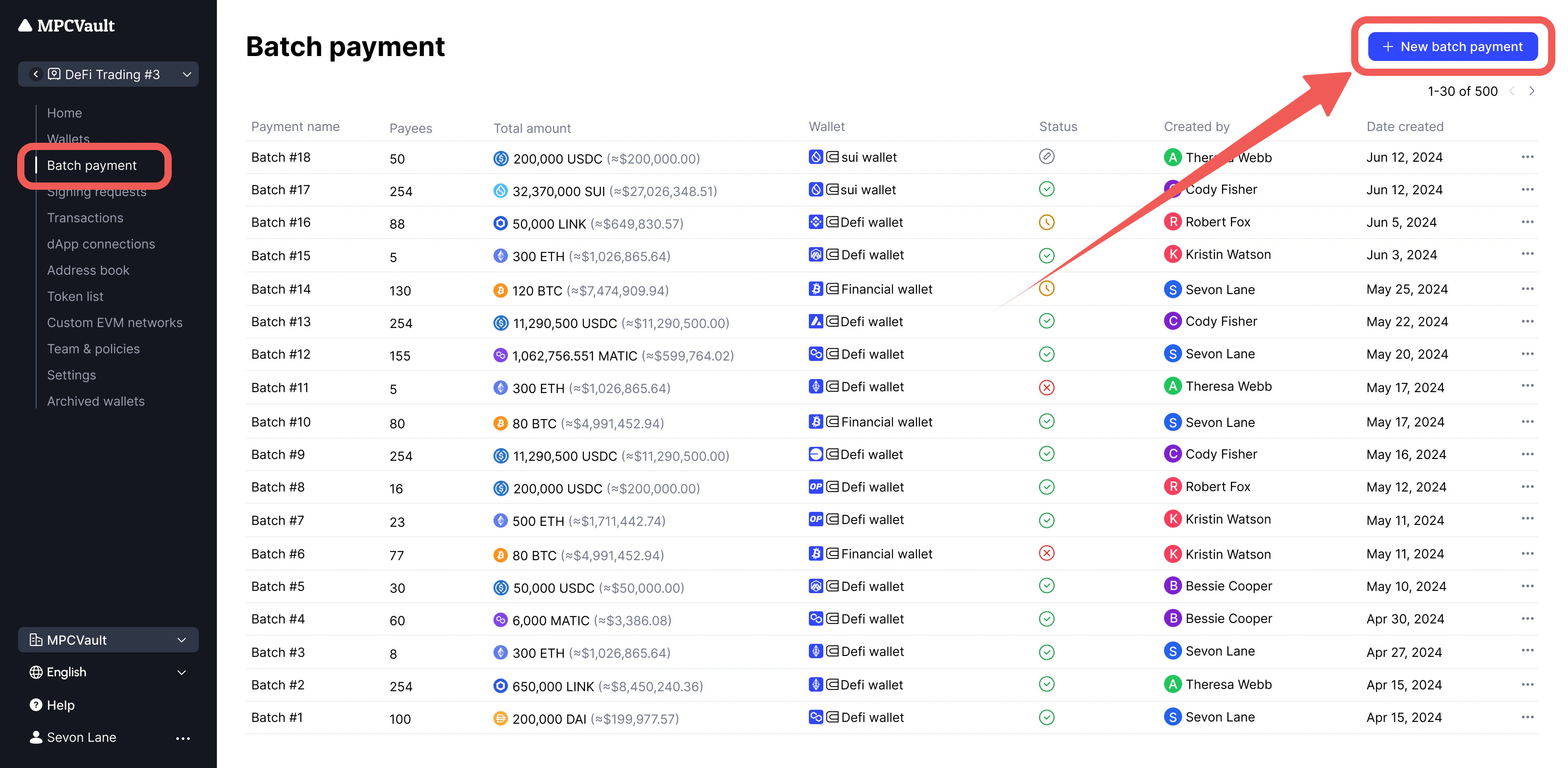
Go to your vault and click Batch payment > New batch payment.
-
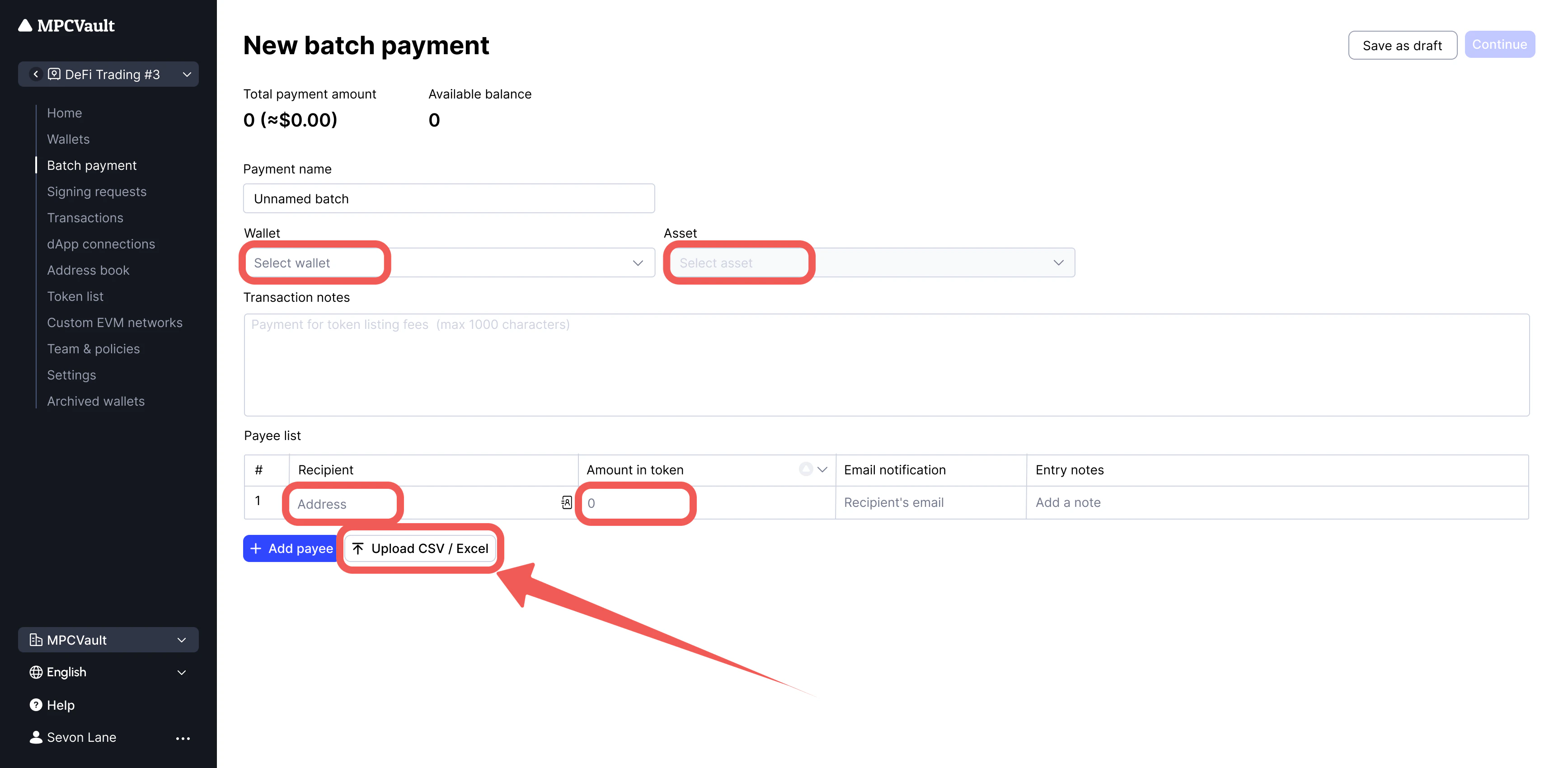
Select wallet and asset. Enter recipients manually or click Upload CSV/Excel.
-
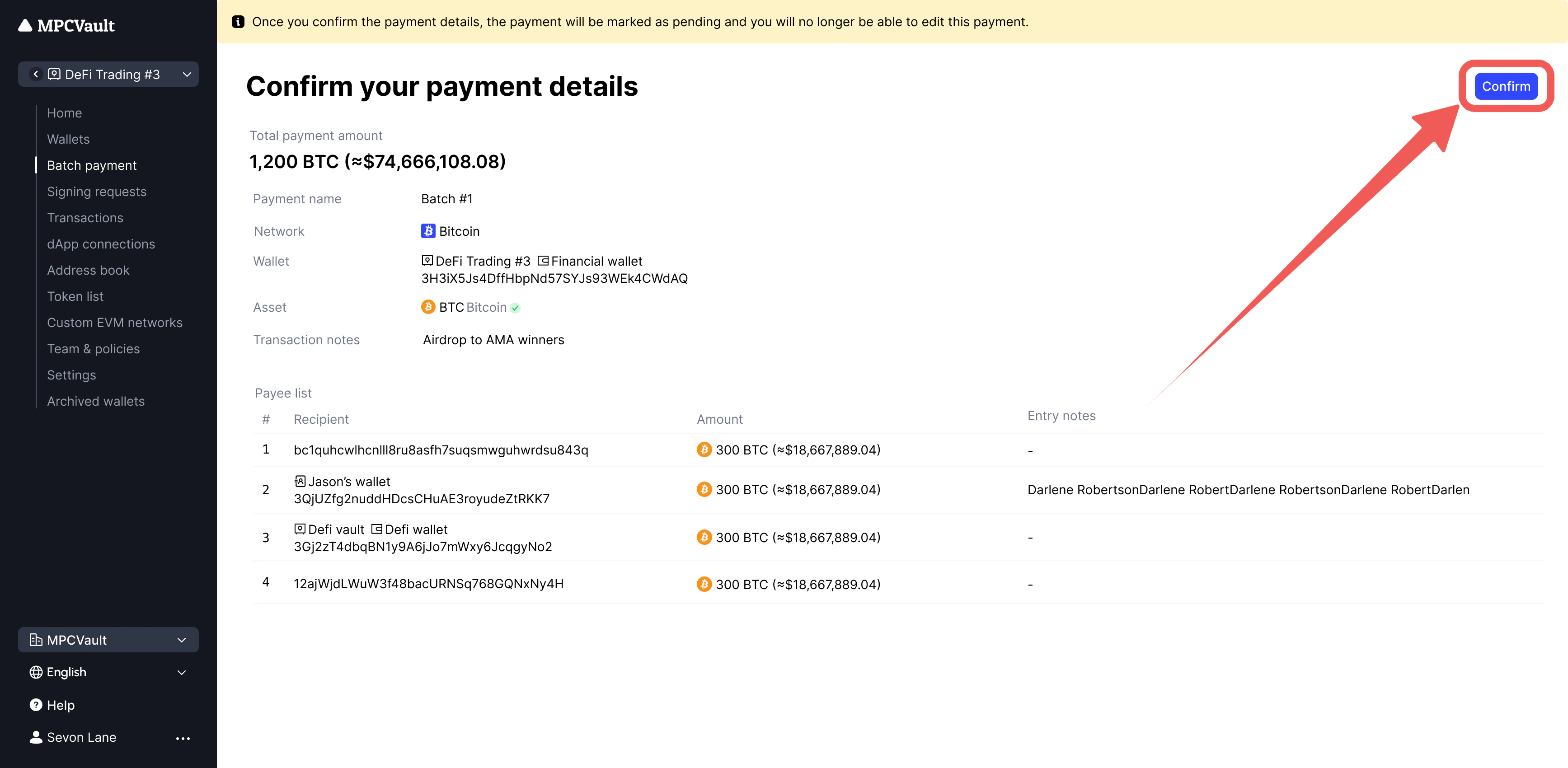
Review details and click Confirm.
-
Initiate the transaction:
-
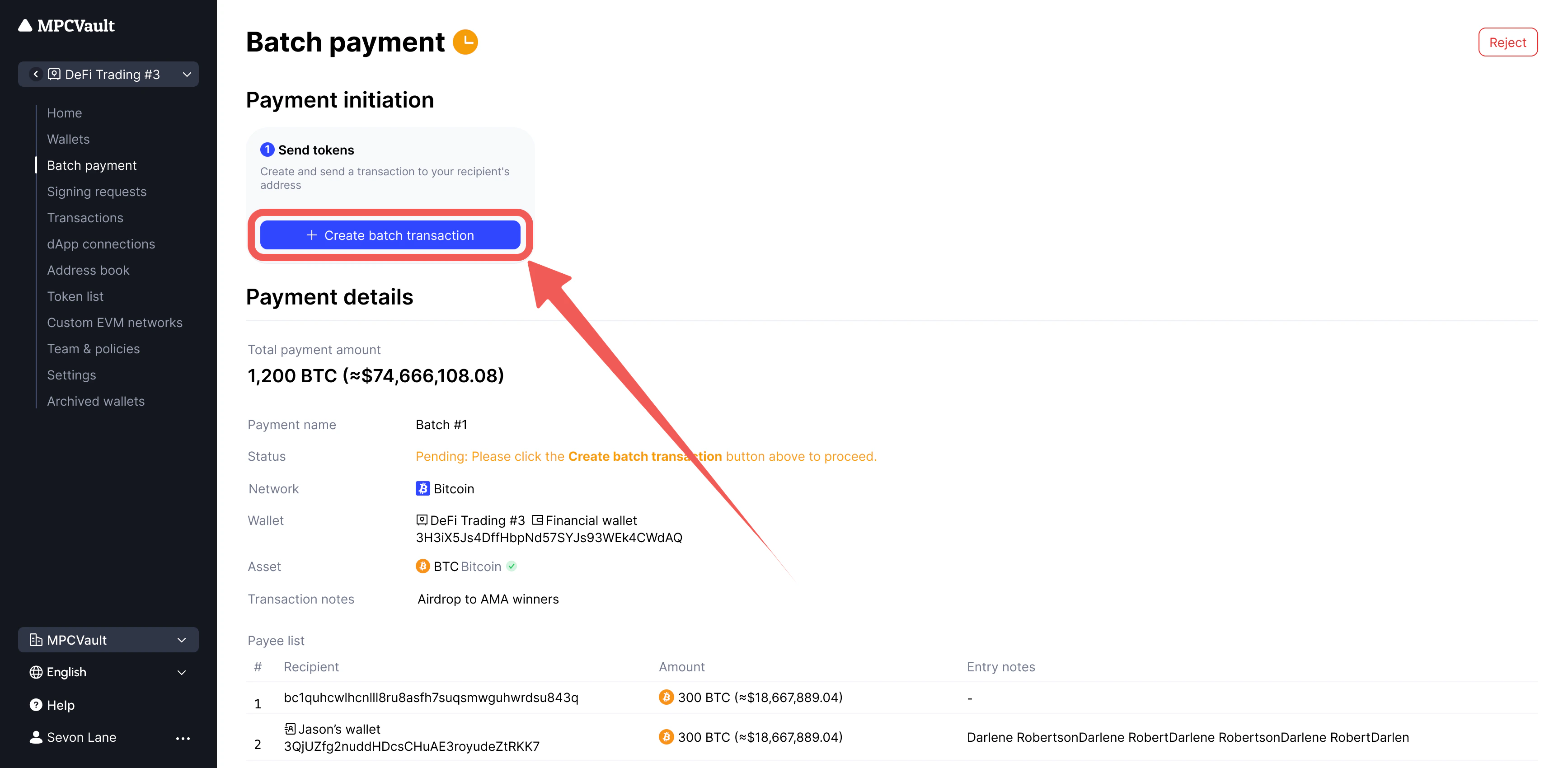
Native tokens: Click Create batch transaction.
-
ERC-20 tokens: First click Create approval transaction, then Create batch transaction.
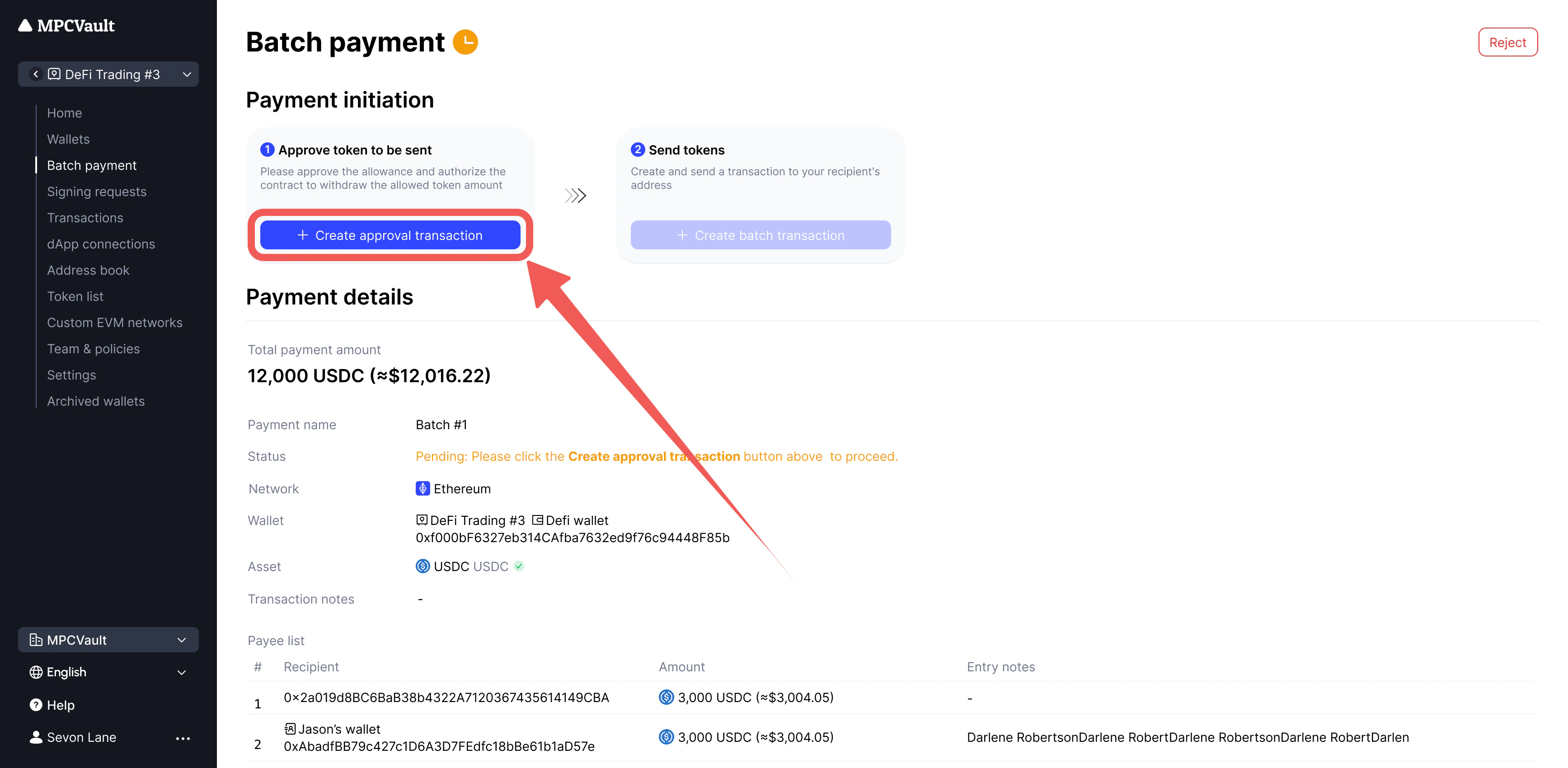
-
Native tokens: Click Create batch transaction.
USDT/CRV Authorization Issues
Some tokens (USDT, CRV) require revoking existing approvals before setting a new amount. This is an on-chain action that incurs gas fees.Revoking USDT Approval (Ethereum)
- Go to the USDT contract on Etherscan.
- Click Connect to Web3.
- Find the approve function and set:
- Click Write and sign in the MPCVault app.