

Steps
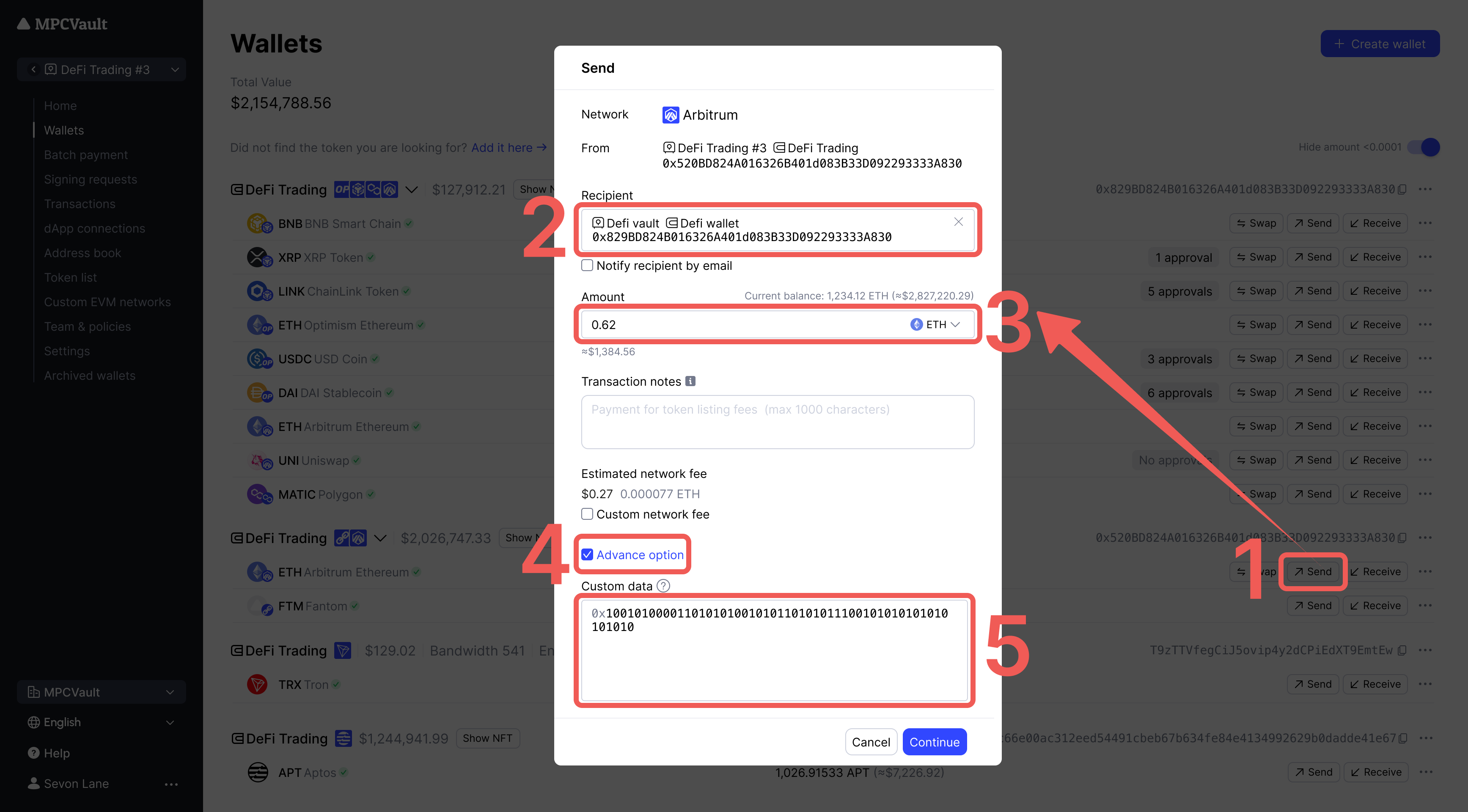
- Select the native token in your wallet and click Send.
- Click Advanced option and enter hex data in the Custom Data field.
Use Cases
Custom data must be in hex format. Use abi.hashex.org to encode EVM function calls.
Interact with contracts or deploy contracts using custom payloads.