

When to Cancel
- Stuck transactions — Transaction pending too long due to low gas or congestion
- Wrong details — Incorrect recipient or amount
- Changed plans — No longer want to execute the transaction
How It Works
Canceling sends a new transaction with the same nonce but higher gas, replacing the original. Check Etherscan Gas Tracker for current fees.Via Web Console
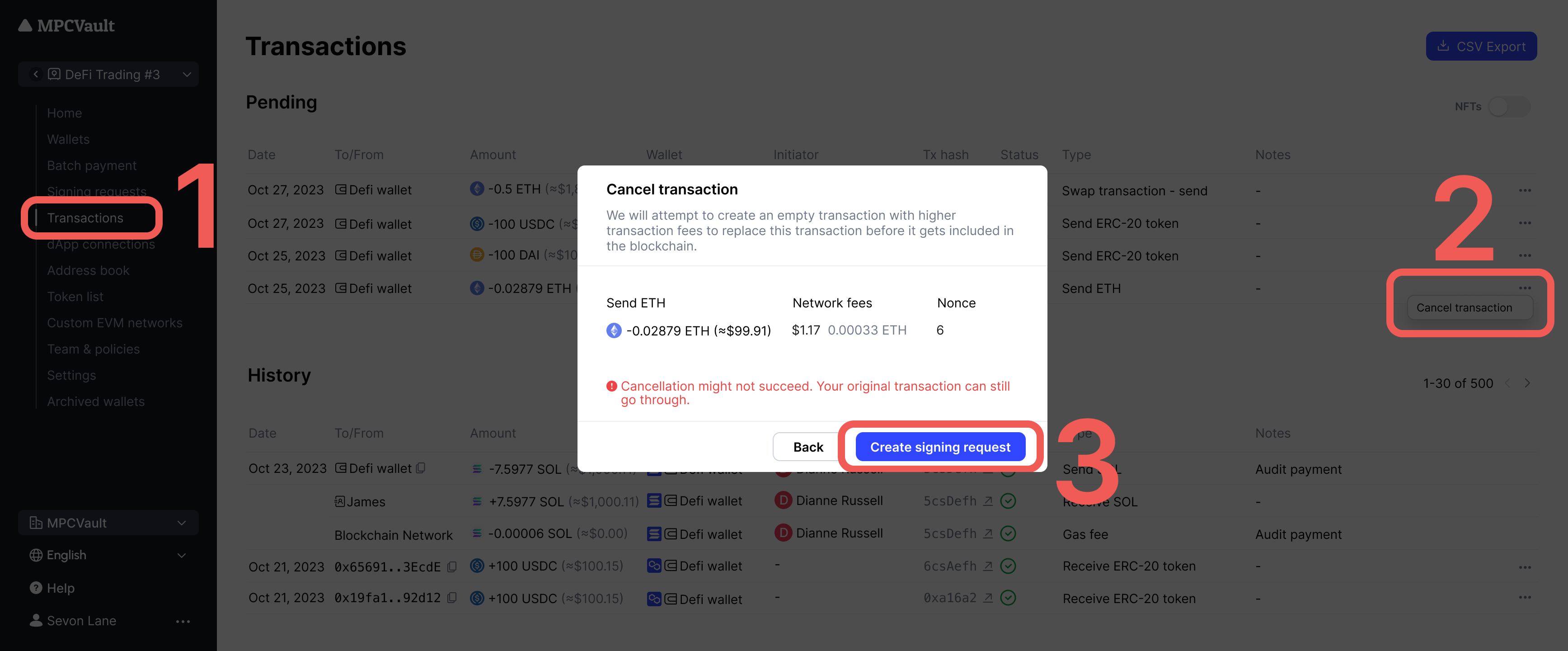
- Go to console.mpcvault.com.
- Navigate to Transactions.
- Find the pending transaction, click … > Cancel transaction.
- Click Create signing request and sign in the app.
Via Mobile App
- Open the app and tap Transactions.
- Find the pending transaction and tap to open details.
- Tap … > Cancel transaction.
- Create and sign the cancellation request.