

Available for scale and enterprise customers on annual plans. Contact your account manager to begin.
When to Export
Key export is initiated manually by your account manager—it’s not a self-service feature. If you anticipate needing key export, discuss it with your account manager before your organization goes live.How It Works
MPCVault uses key derivation to generate wallet addresses from root keys. Once root keys are exported, you can calculate private keys for all addresses—including wallets created after the export.Encryption-Based Security
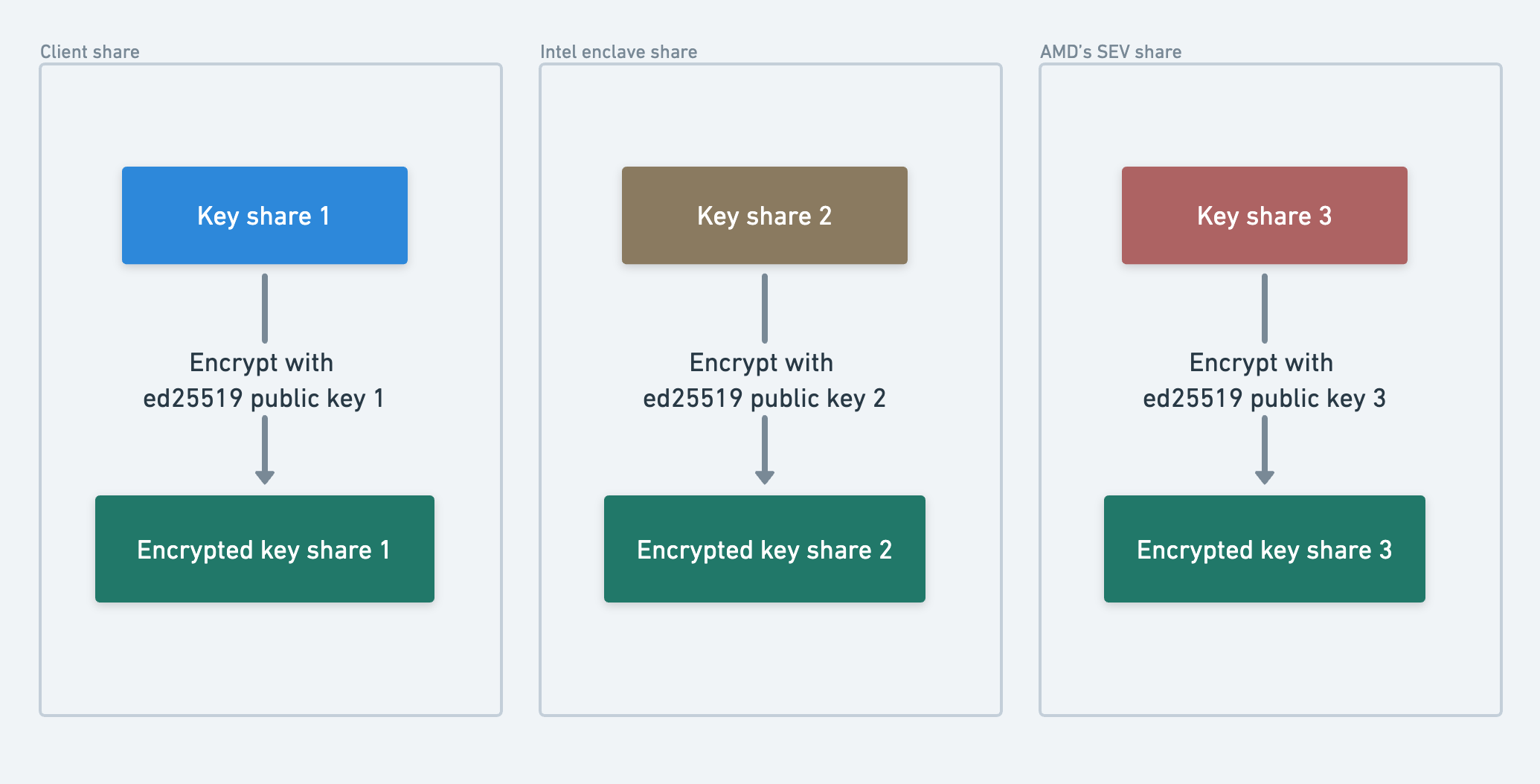
MPCVault uses 3-of-3 MPC, meaning your root key is split into three shares. Rather than providing raw key shares directly, we ask you to generate three Ed25519 encryption keys locally. Each root share is then encrypted using one of your public keys, along with other necessary information like the chaincode. This design ensures:- No one in the backup process (including MPCVault) can access your actual key values
- Intercepted backups are useless without your corresponding private keys
- Full cryptographic control remains with whoever holds the encryption keys
Root Key Types
To derive all wallet addresses, you need both root key types exported: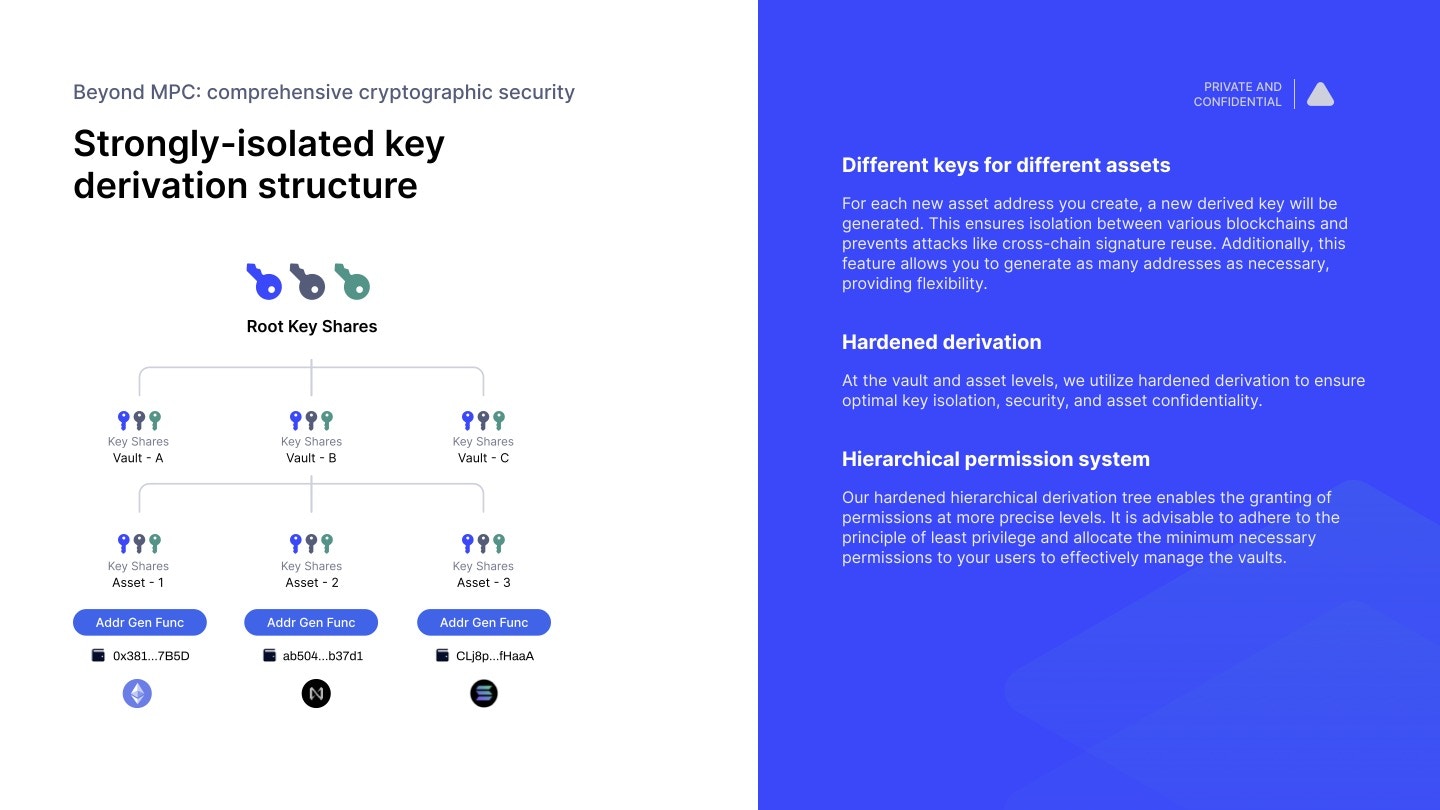
Export Steps
1. Generate three encryption keys
Run these commands in your terminal to create three Ed25519 key pairs:- Choose a save location
- Set a strong password (recommended)
- Store the private key file securely
Multi-party key generation: For enhanced security, have three different trusted individuals each generate one key. This ensures no single person holds all encryption keys.
2. Send public keys to your account manager
Your public keys look like this:3. Approve the backup request
An Org root key backup signing request will appear in your signing request list. All active organization members must approve and sign.4. Download the backup package
Once approved, download the encrypted backup from the signing request details page in the web console.5. Store securely
Store the backup package and encryption keys in separate, secure locations:Recovery Requirements
To recover your wallets later, you’ll need:Security Best Practices
Do not split the backup file among multiple people. The encrypted file alone cannot recover your keys—it’s useless without the corresponding private keys. Instead:
- Store redundant copies of the backup package in secure locations
- Focus access control on the encryption keys, not the encrypted file
- Consider using Shamir’s Secret Sharing to split each encryption key if you need multi-party control
Backup Package Format
The backup package is a JSON file containing encrypted key shares and metadata needed for key derivation.The backup file alone cannot recover private keys. You must have the corresponding Ed25519 private keys and their passwords to decrypt the shares.