

Steps
-
Name your organization — This name will be visible to all members.
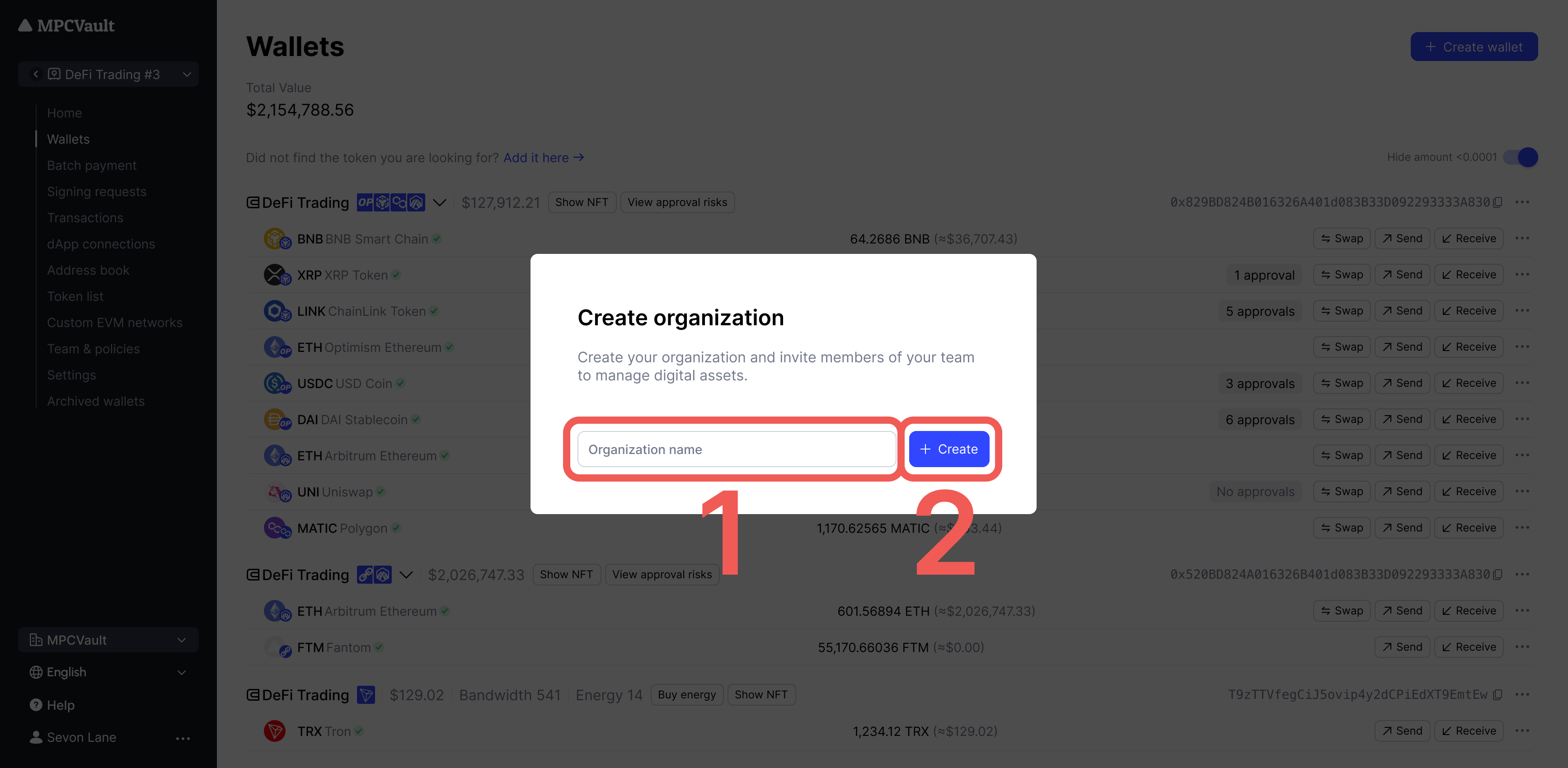
- Complete the questionnaire — Answer questions about your use case.
-
Select a plan — Choose the plan that fits your needs and subscribe to activate.
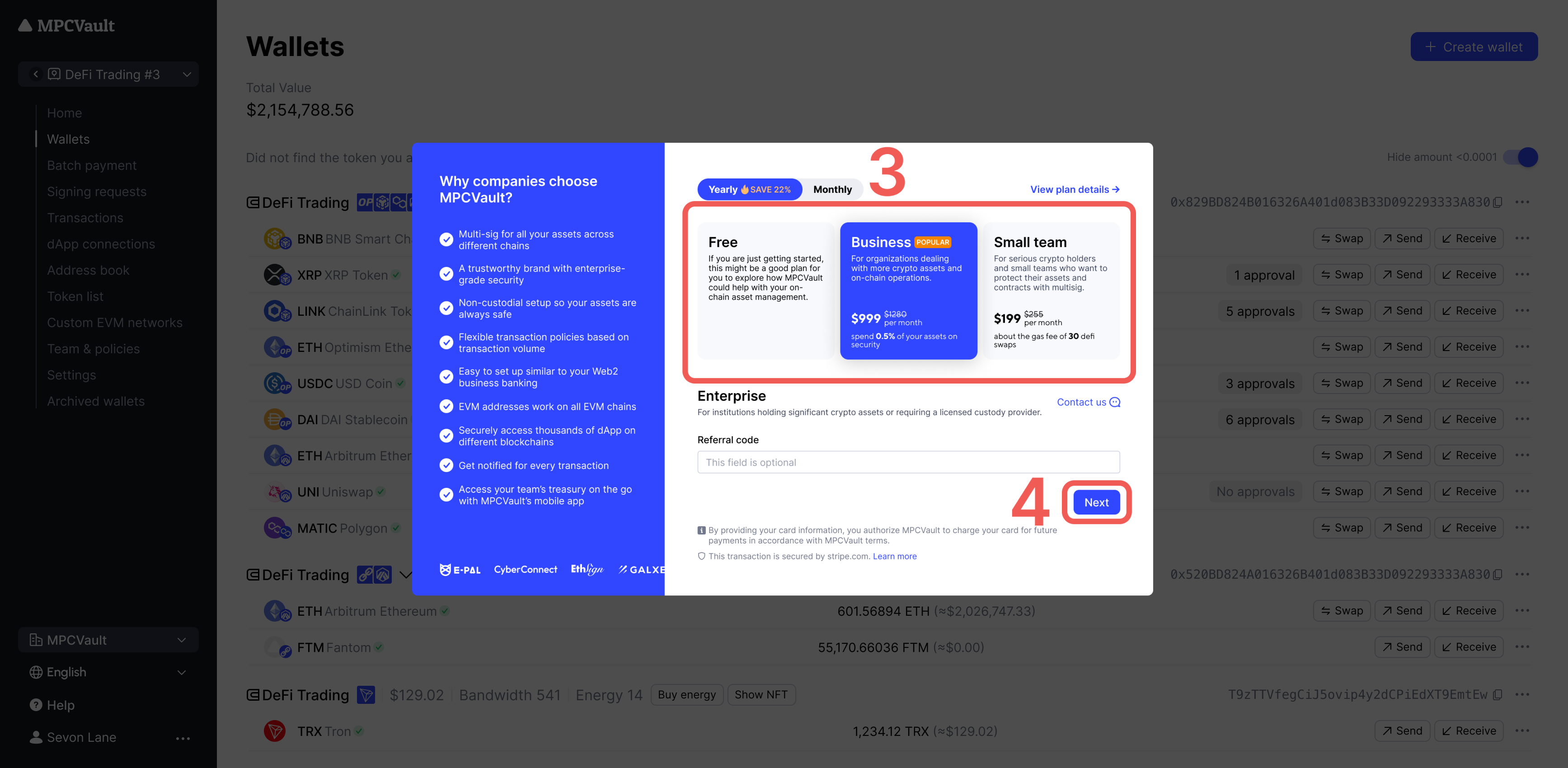
-
Generate your MPC root key — Follow the on-screen instructions on your phone. This key secures your organization’s crypto assets.
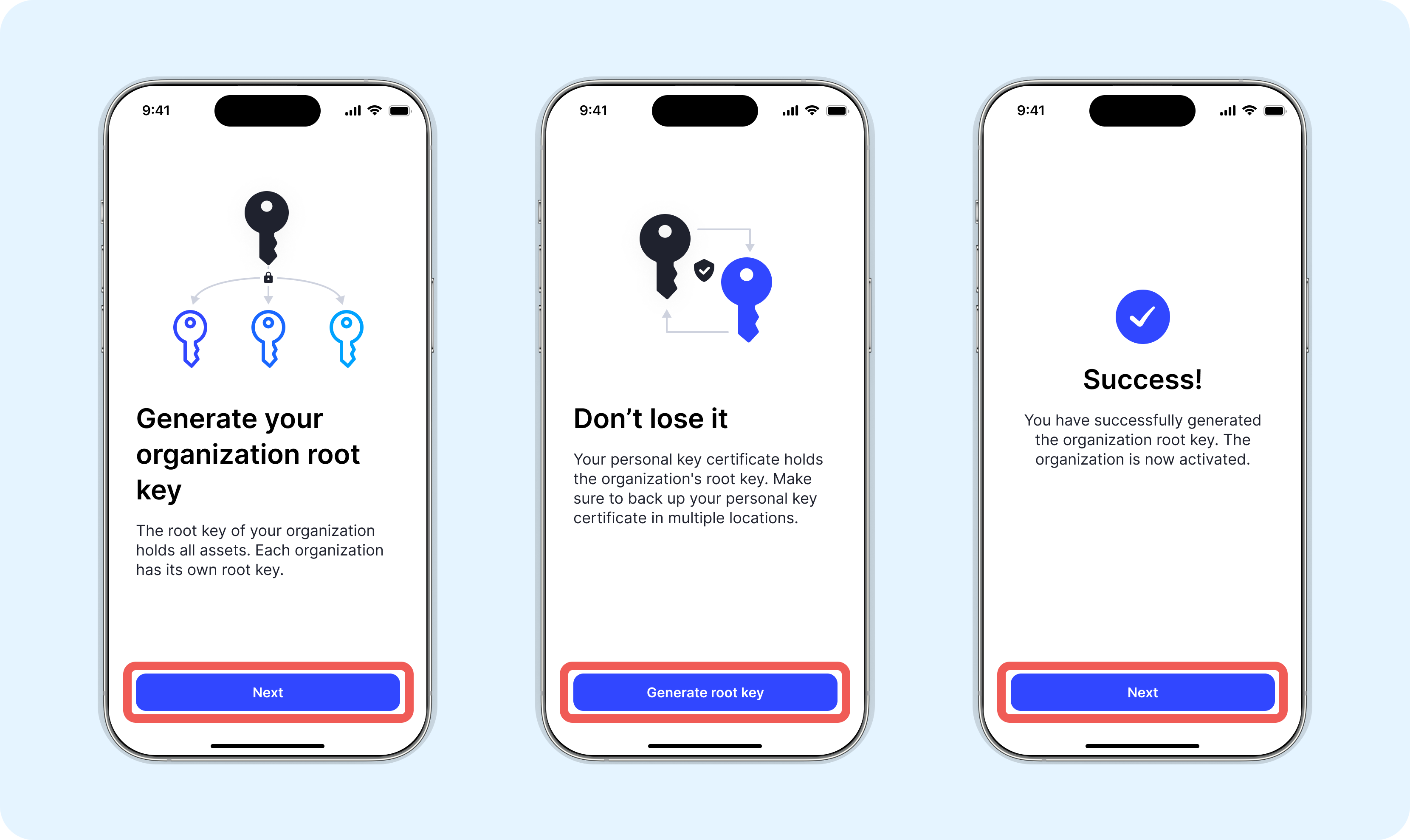
You can also create an organization from My Account in the console after backing up your personal key certificate. You can only set up one organization at a time.