

- Withdraw to your business bank account
- Pay vendors or suppliers
- Settle invoices
Quick Start
- Complete KYB — Verify your business
- Add a recipient — Verify the recipient’s bank account
- Create a fiat payment — Convert and transfer
Step 1: Complete KYB
KYB is required for fiat payments (business accounts only).- Go to Fiat payment and click Get started.
- Submit required documents.
- Wait for approval.
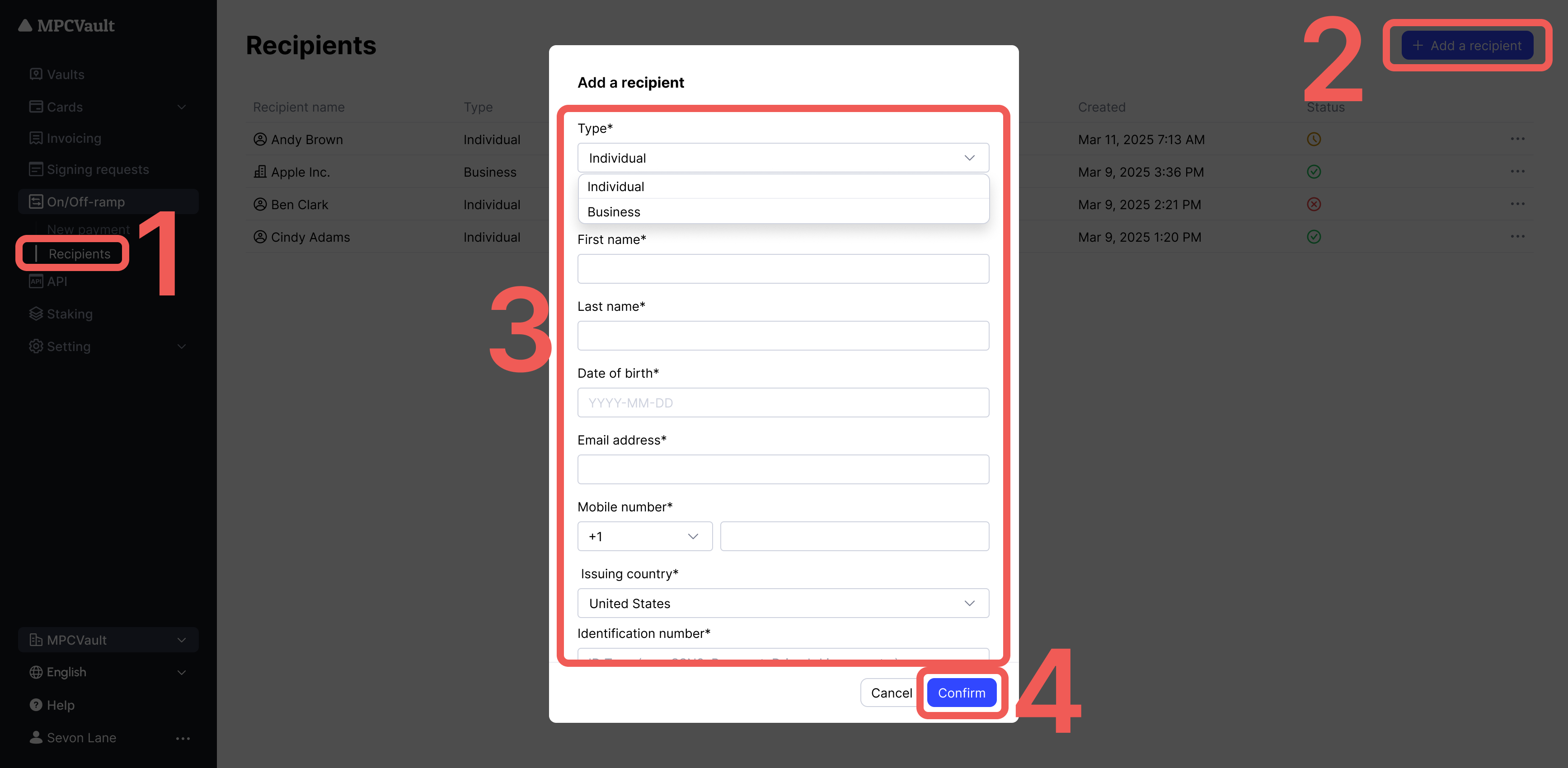
Step 2: Add a Recipient
Recipients (individuals or businesses) must be verified per AML regulations.- Go to Recipients > + Add a recipient.
- Submit required documents.
- Wait for Verified status.
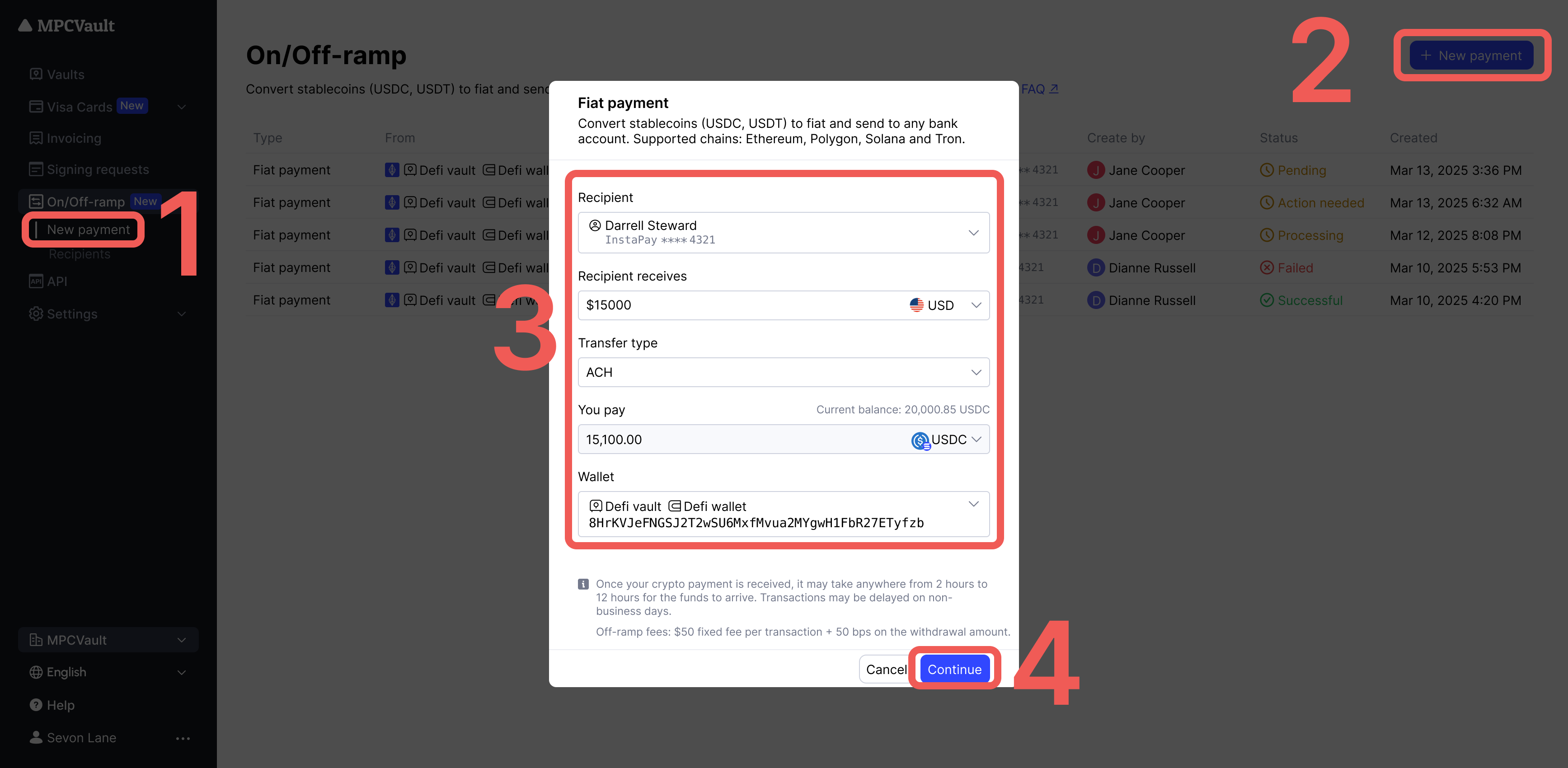
Step 3: Create a Fiat Payment
- Go to New payment > + New fiat payment.
- Enter wallet, recipient, and currency details.
- Click Continue to create the signing request.
- Sign in the MPCVault app.
Order Statuses
Supported Options
Fees
- Ensure sufficient stablecoins and native tokens (for gas) before creating a payment.
- Signing requests expire in 30 minutes.
- Fiat payouts typically arrive within 2–12 hours (delays possible on non-business days).