

Adding Vault Members
Only vault managers can add members. Invitees must already be part of the organization (invite members first).Via Web Console
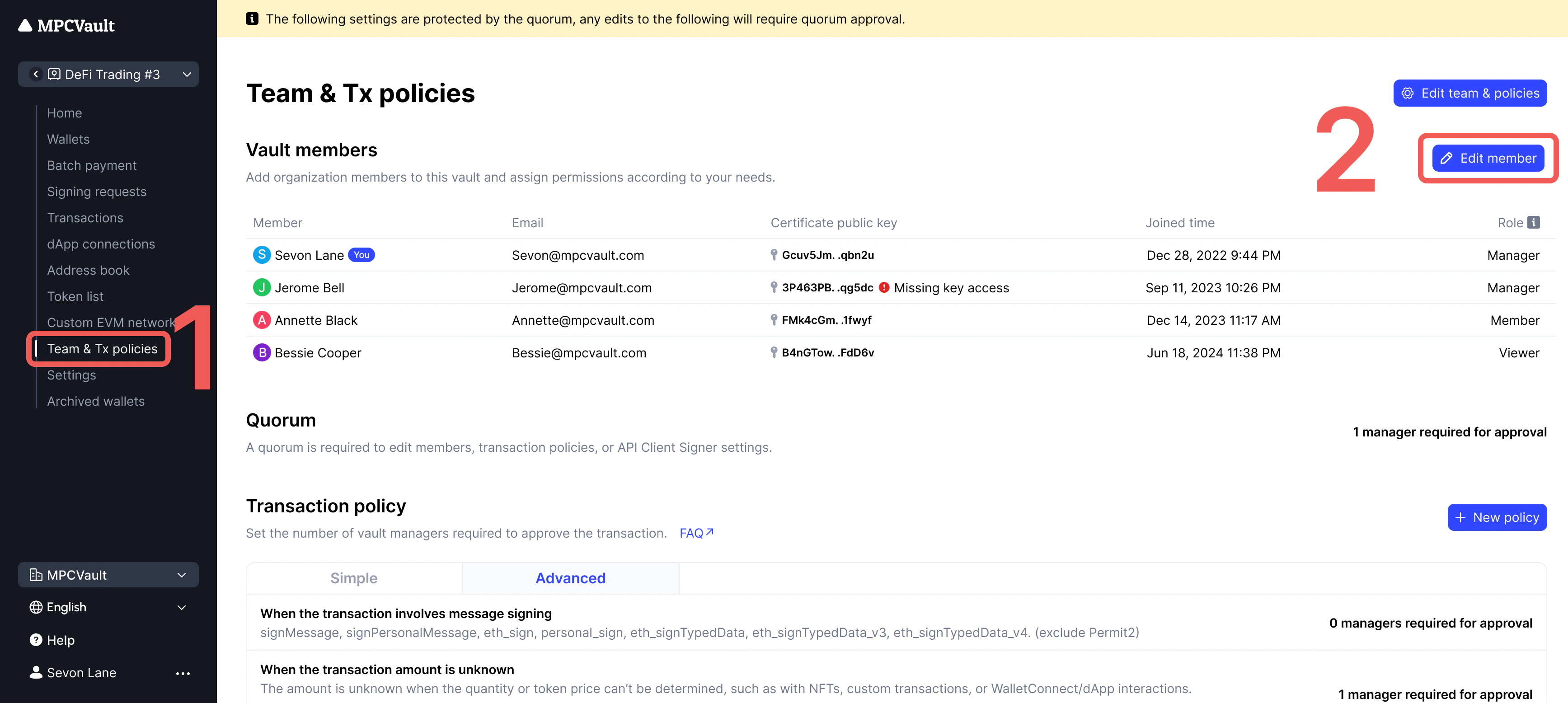
- Select the vault and go to Team & Tx policies.
-
Click Edit member > + Add vault members.
-
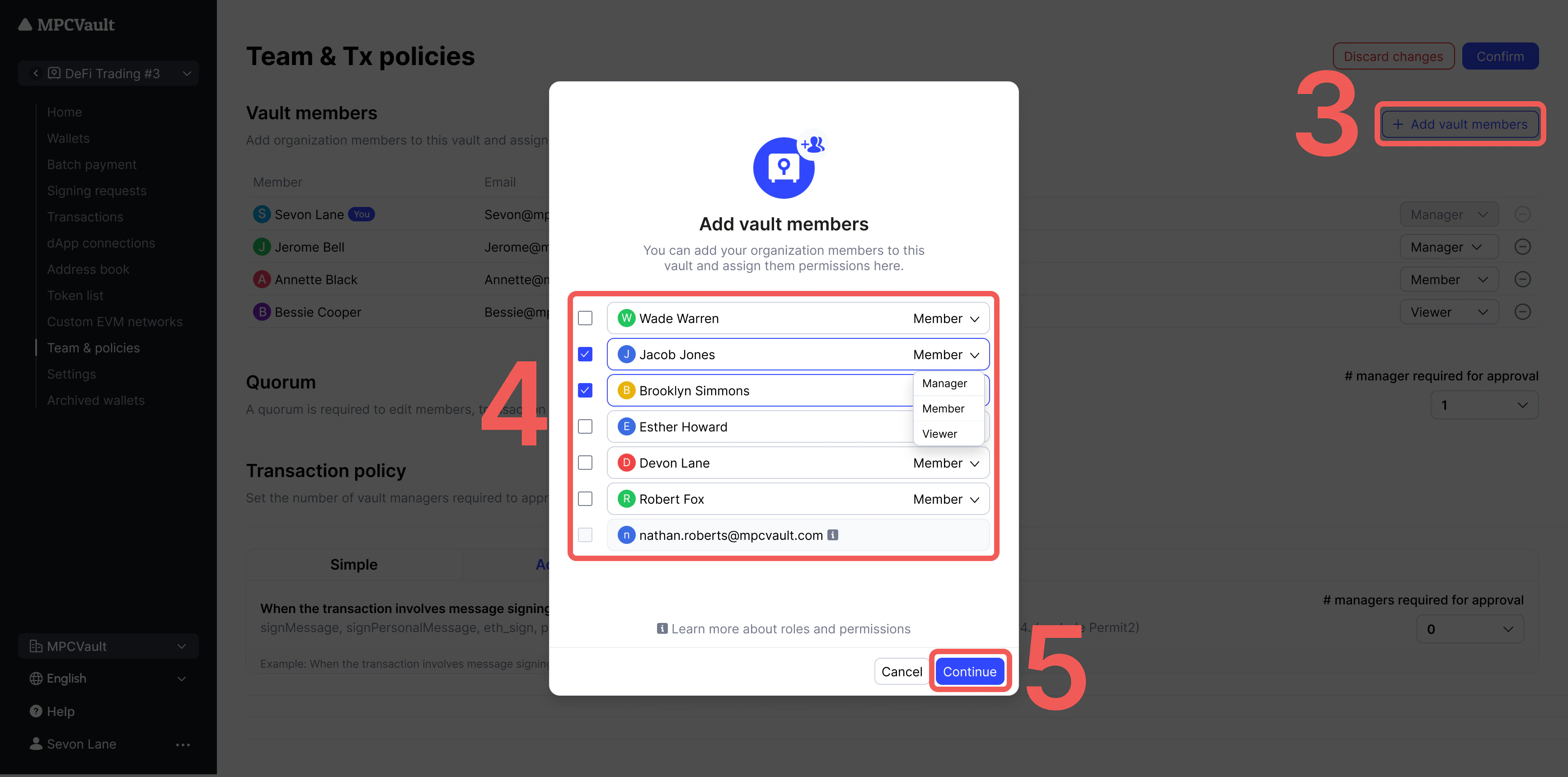
Select members, assign roles, and click Continue > Confirm.
Via Mobile App
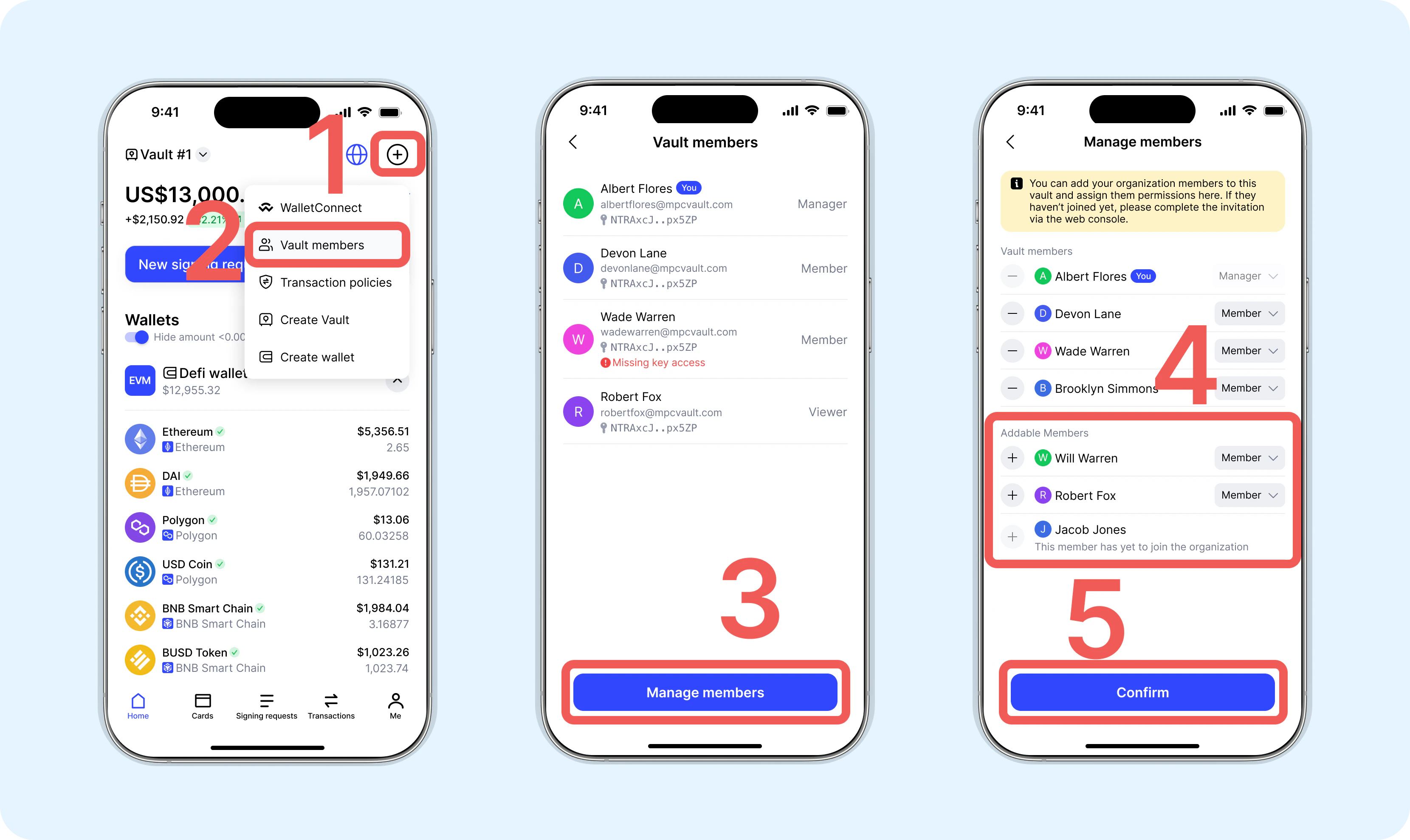
- Select the vault from the home page.
- Tap … > Vault members > Manage members.
-
Select members, assign roles, and tap Confirm.
Configuring Multisig Policies
Set approval requirements based on transaction volume, destination, or type. Each vault can have different policies.Setup Steps
- Go to Team & Tx policies and click + New policy.
- Select the policy type.
- Configure the rules and click Confirm.
- Approve the signing request in the app.
The number of required managers cannot exceed the manager quorum.
Example
For a reserve vault holding significant funds:How Multisig Works
MPCVault’s multisig is implemented through system-enforced approval policies, not traditional on-chain multisig.Policy Enforcement
When a signing request is created:- The MPCVault server checks the transaction against configured policies
- If the required approvals are not met, the server refuses to participate in the MPC signing protocol
- Only when all policy conditions are satisfied does the server allow the signing to proceed
Key Security Model
Even though the server enforces policies, it cannot unilaterally sign transactions because:
All three shares must participate in the MPC computation to produce a valid signature. The server’s policy enforcement is an additional security layer on top of the cryptographic requirement that you must provide your key share.
What This Means
- You remain in control: No signature is possible without your key share
- Policies are enforced: The server won’t participate unless your configured rules are met
- No single point of failure: Even if the server were compromised, attackers cannot sign without your share