

Add Coins
- Go to console.mpcvault.com.
- Select your Aptos wallet > … > Add coins.
- Choose the coin and click Add coins.
- Sign the request in the app.
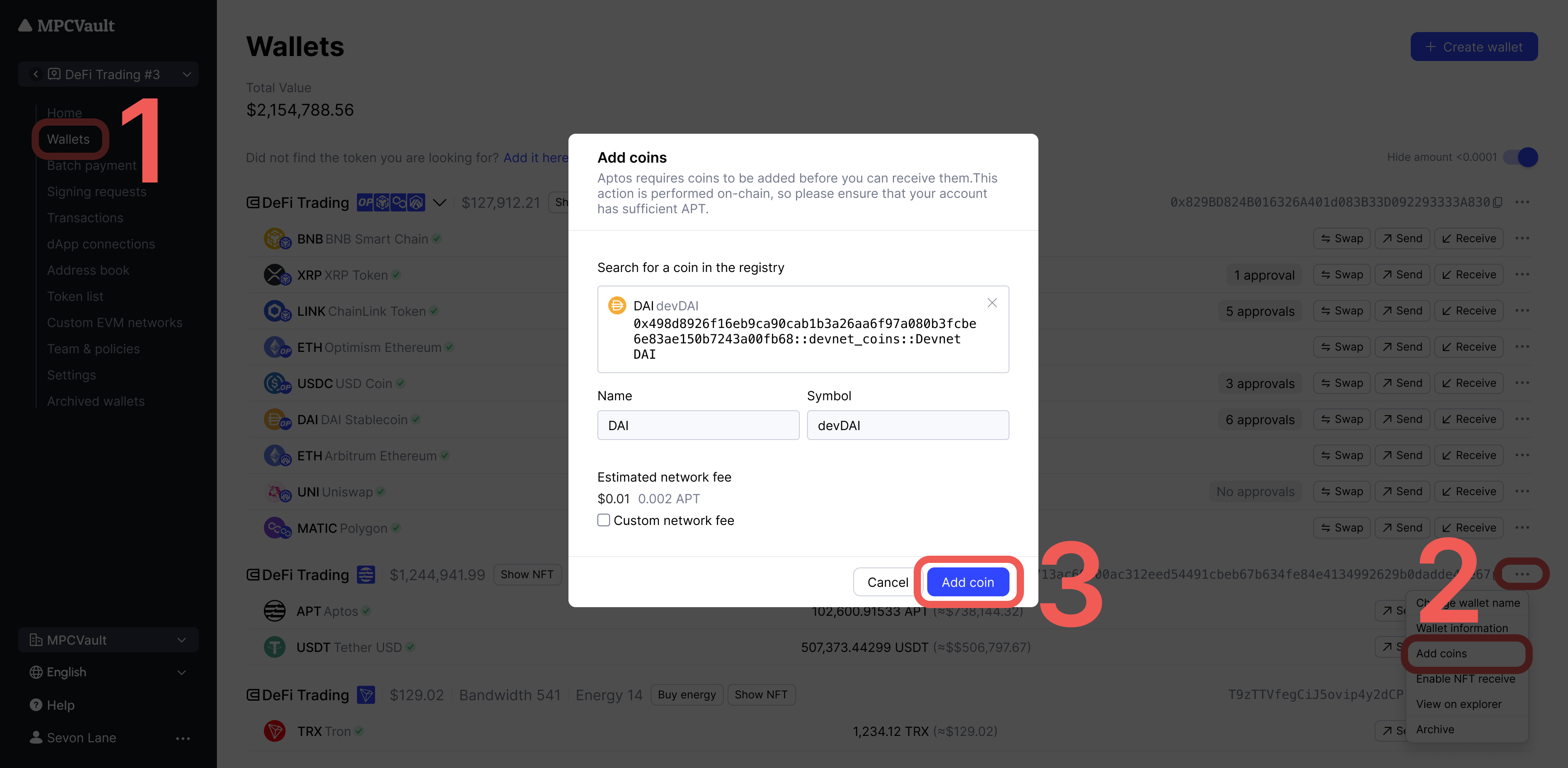
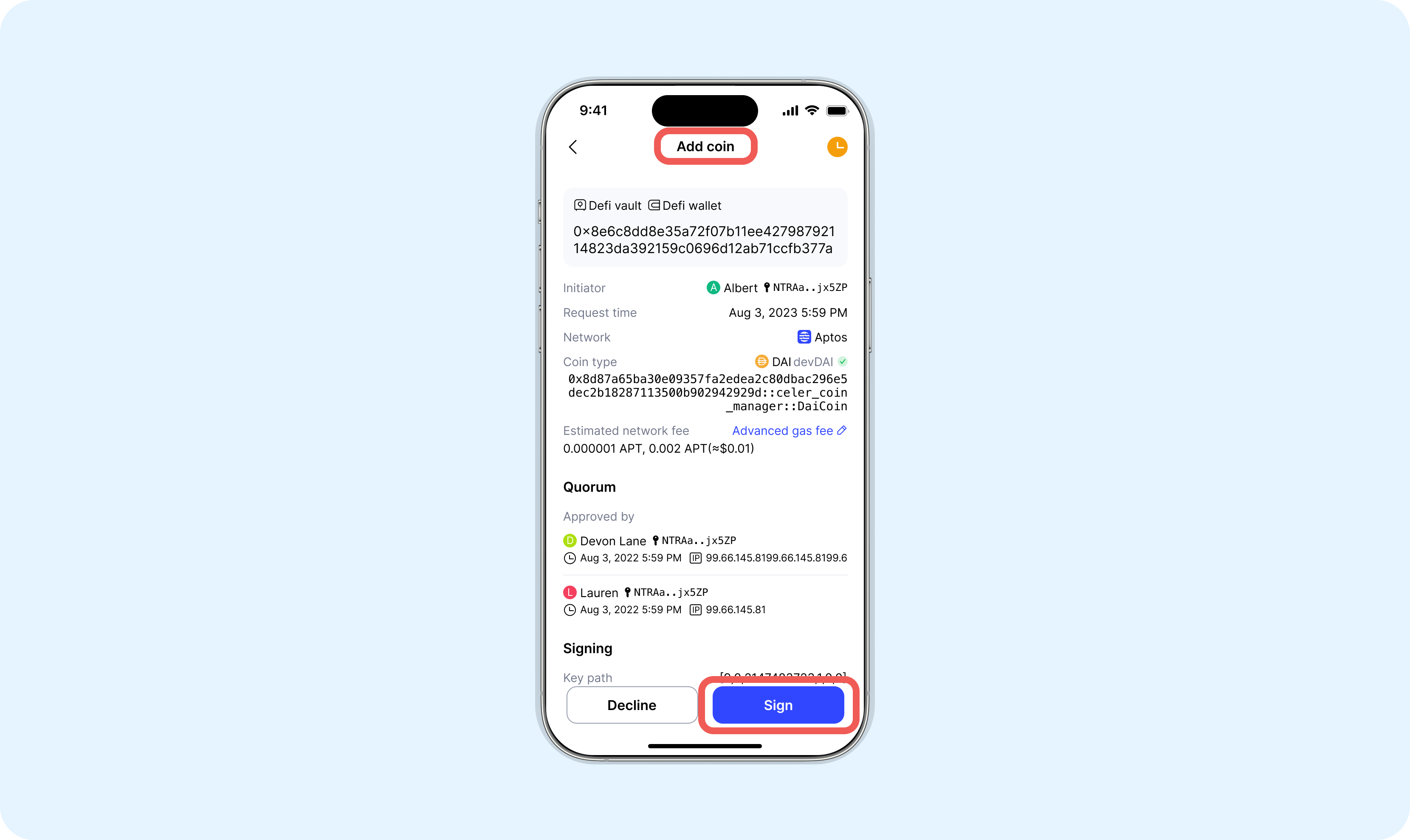
If a coin isn’t listed, contact support to request it.
Enable NFT Receiving
- Go to console.mpcvault.com.
- Select your Aptos wallet > … > Enable NFT receive.
- Click Confirm and sign in the app.
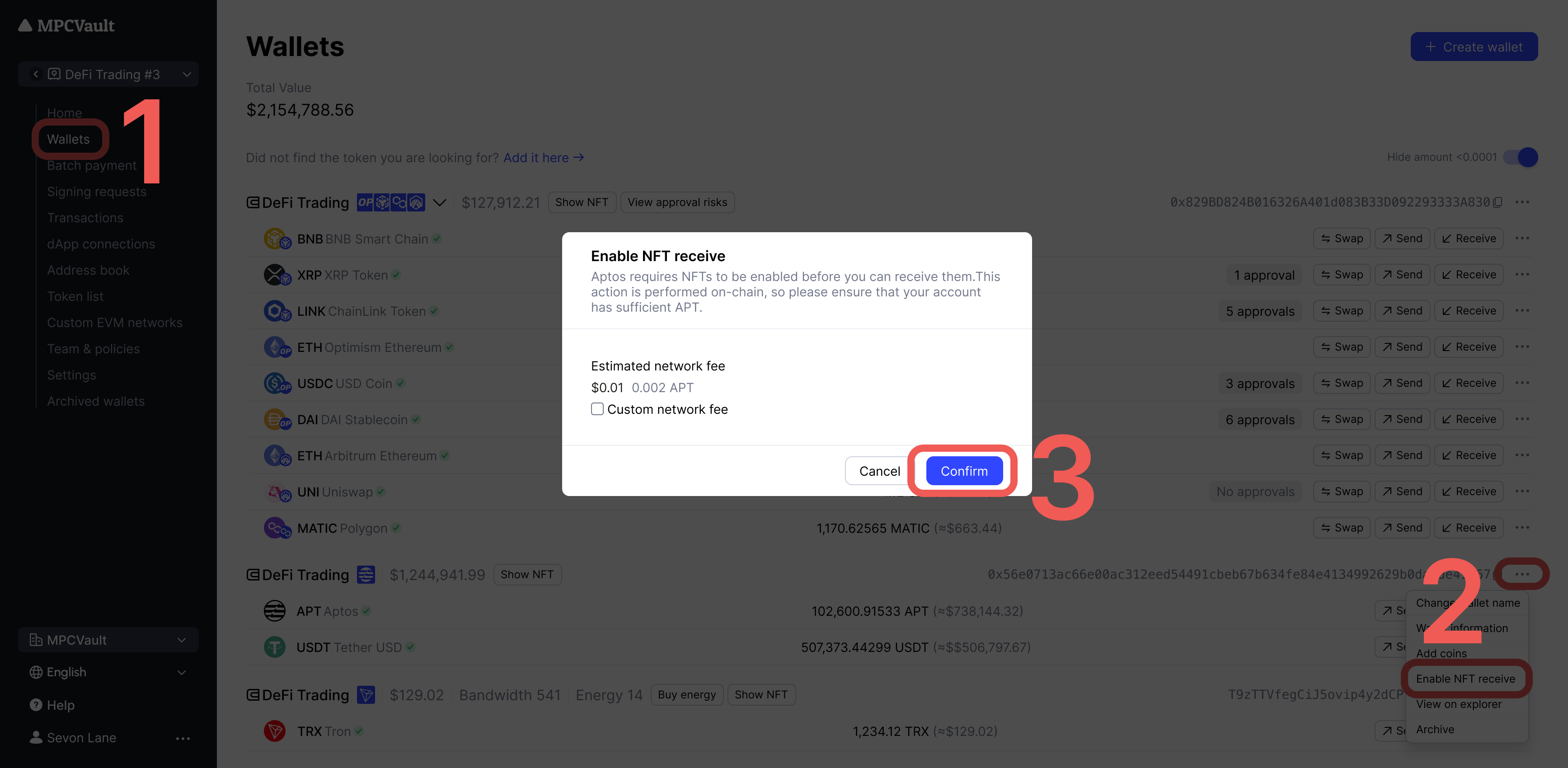
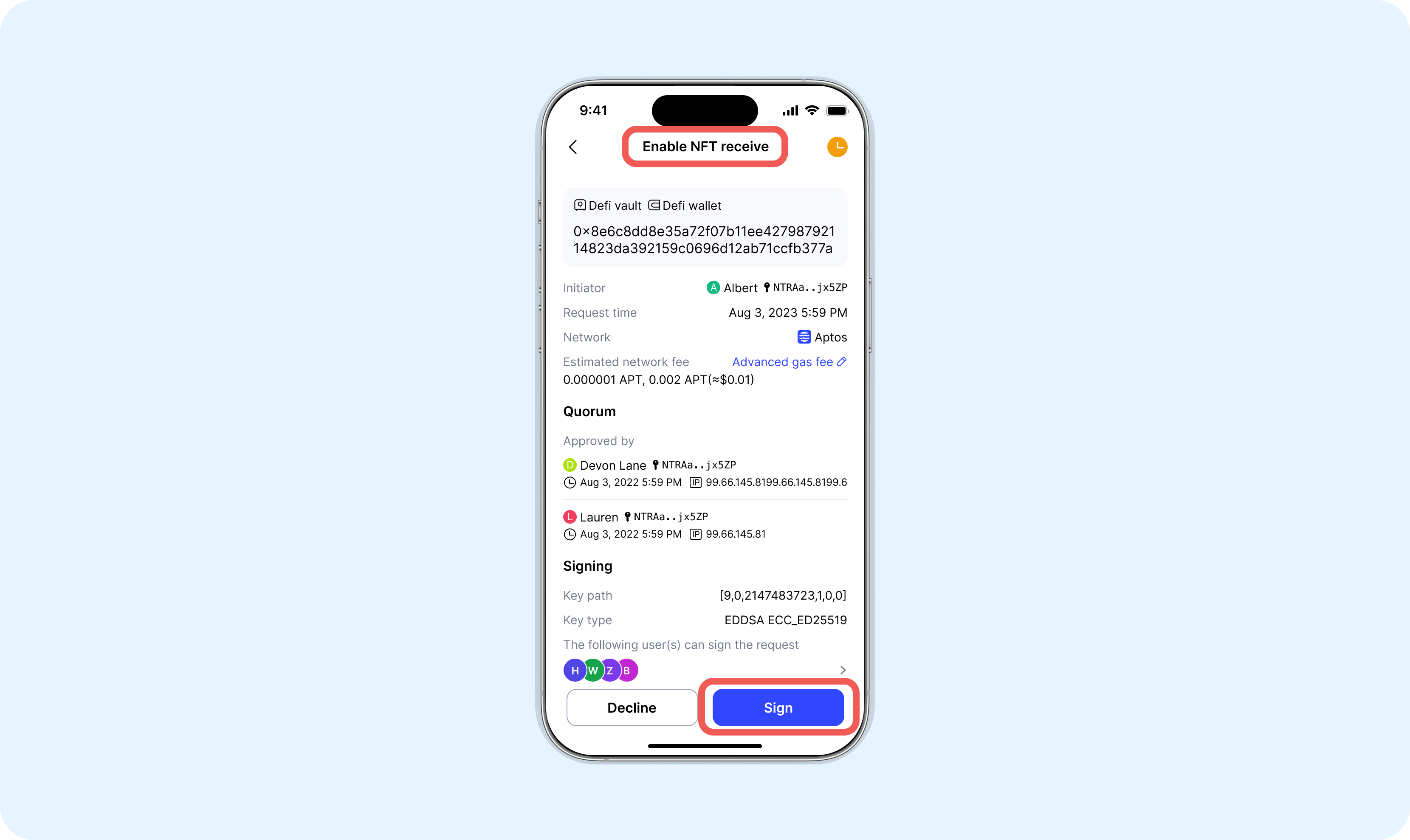
Ensure your account has sufficient APT for network fees.