

Inviting Members
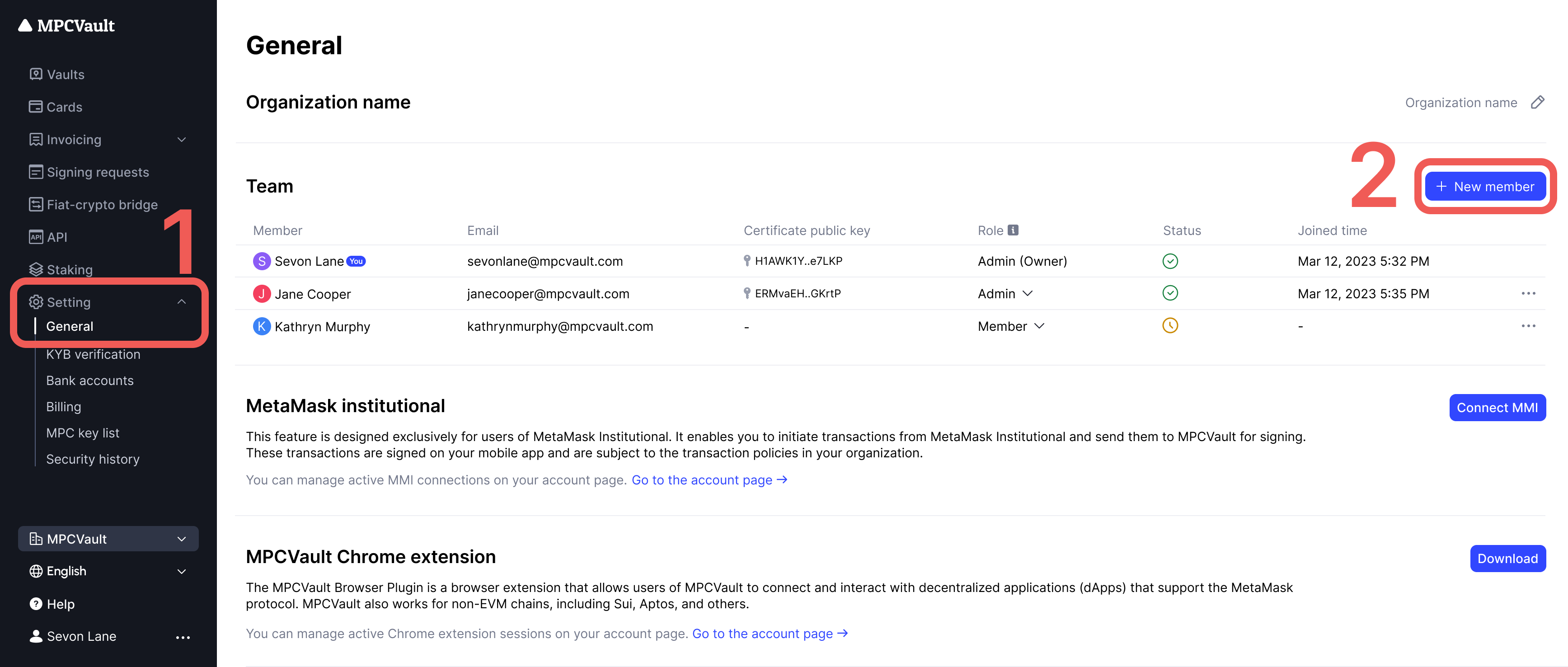
Owners and admins can invite new members to the organization.- Go to Settings in the side menu.
-
On the General page, click + New member.
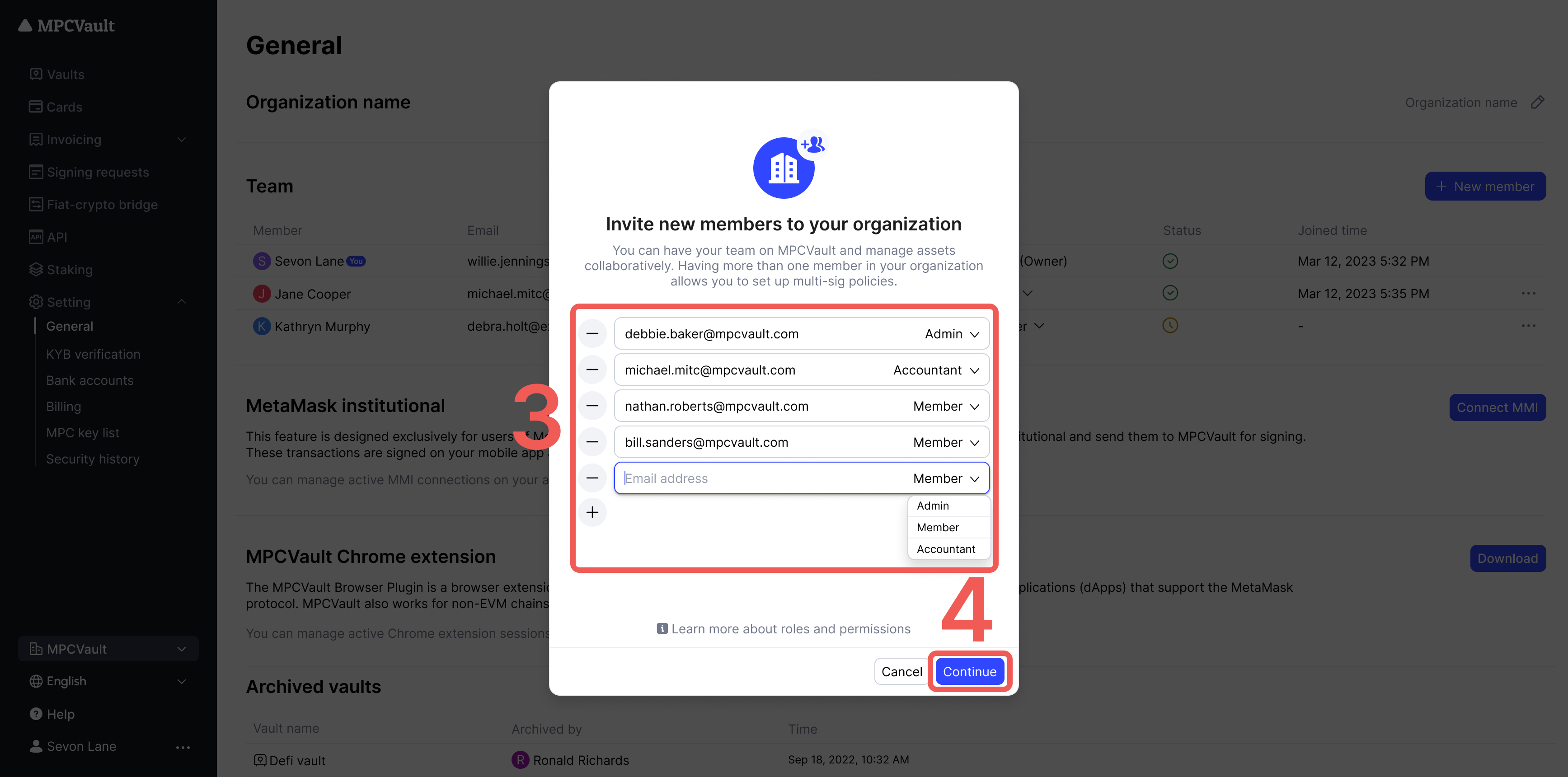
- Enter the invitee’s email and select their role.
-
Click Send invites.
Accepting an Invitation
- Open the MPCVault app.
- Go to Me > Organization.
-
Select the organization and tap Join now.
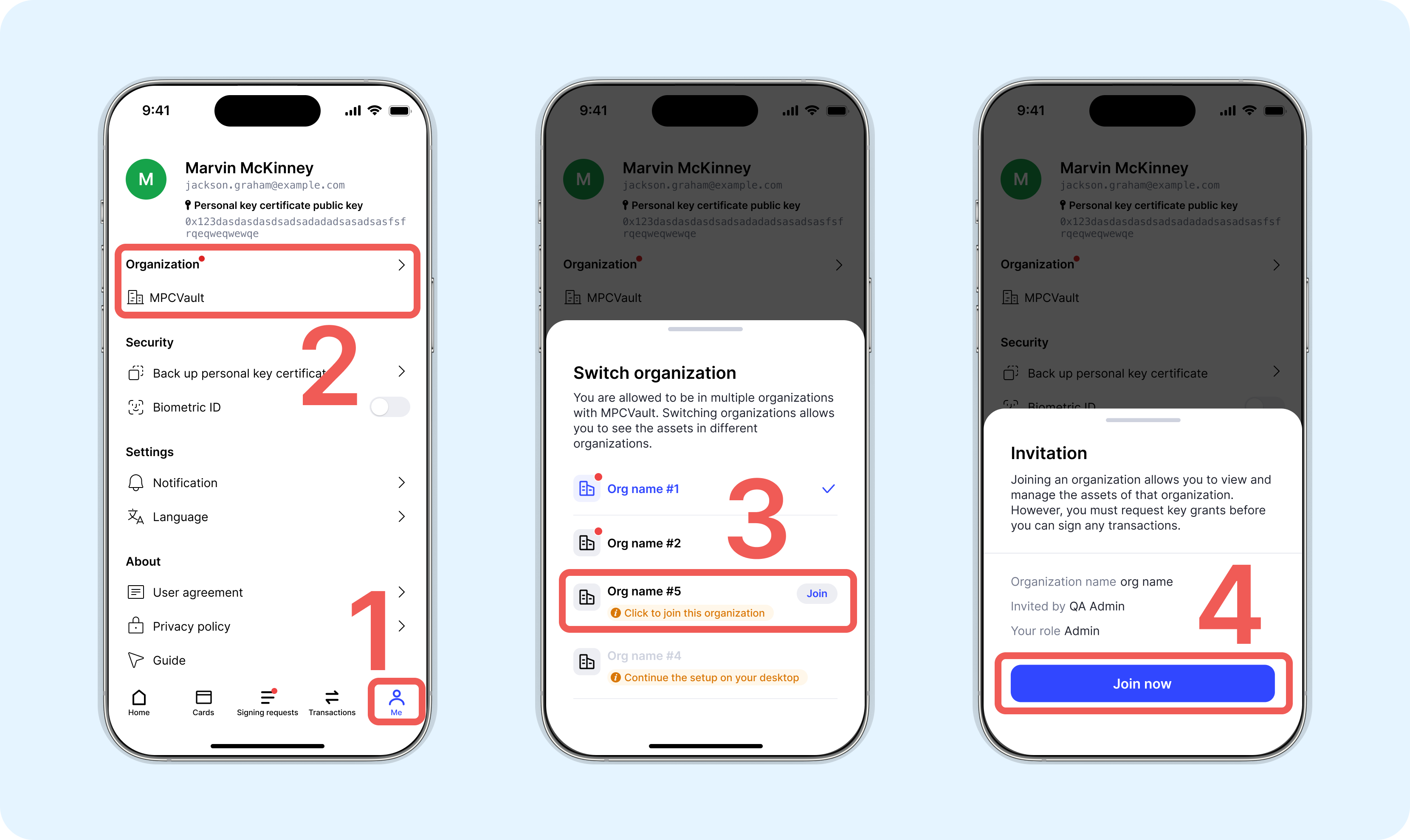
If you received an invitation but don’t see the organization listed, try switching networks or restarting the app.
Deactivating a Member
Deactivated members cannot log in to your organization. This does not change vault signing policies—ensure the member has transferred any necessary rights first.- Visit console.mpcvault.com.
- Go to Settings.
- Find the member and click … > Deactivate member.
-
Confirm when prompted.
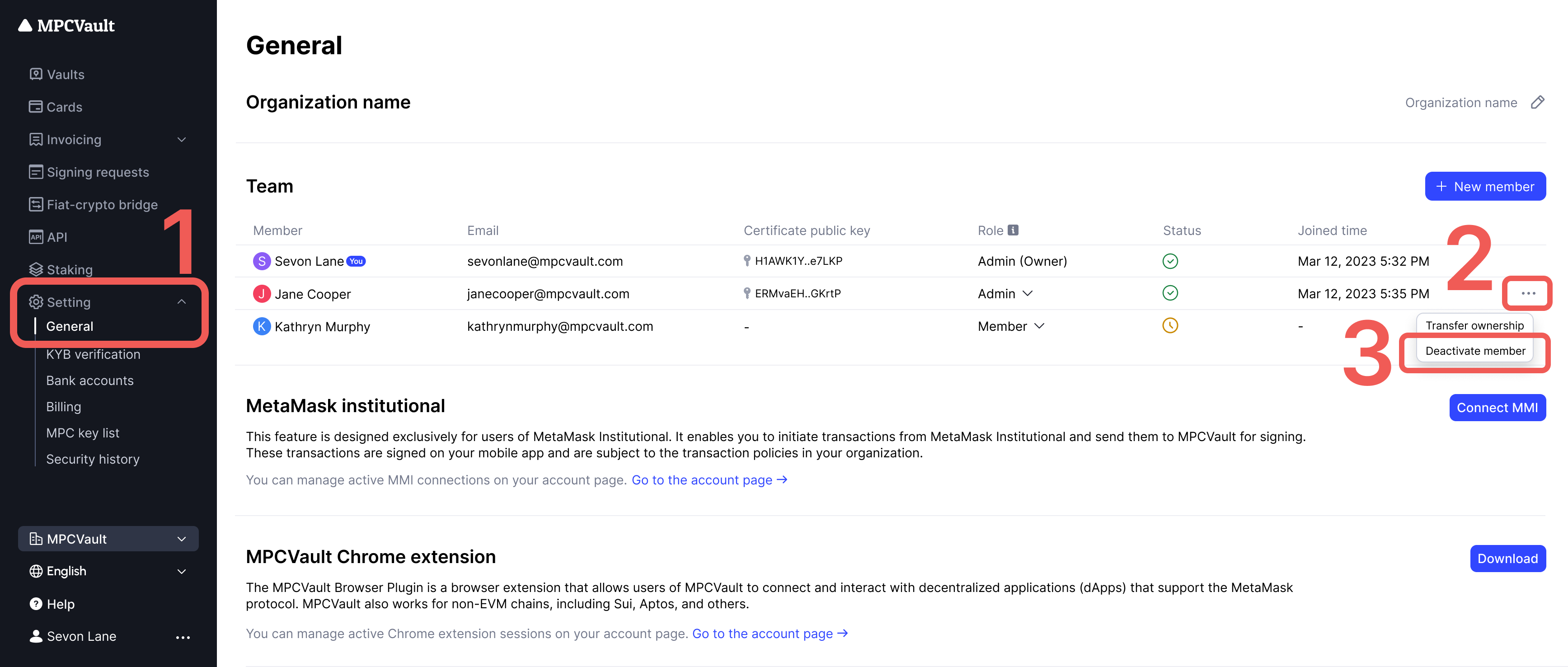
Only admins can deactivate members. The organization owner cannot be deactivated.