Send custom transaction data to interact with contracts that have no frontend or to deploy contracts.Documentation Index
Fetch the complete documentation index at: https://docs.mpcvault.com/llms.txt
Use this file to discover all available pages before exploring further.
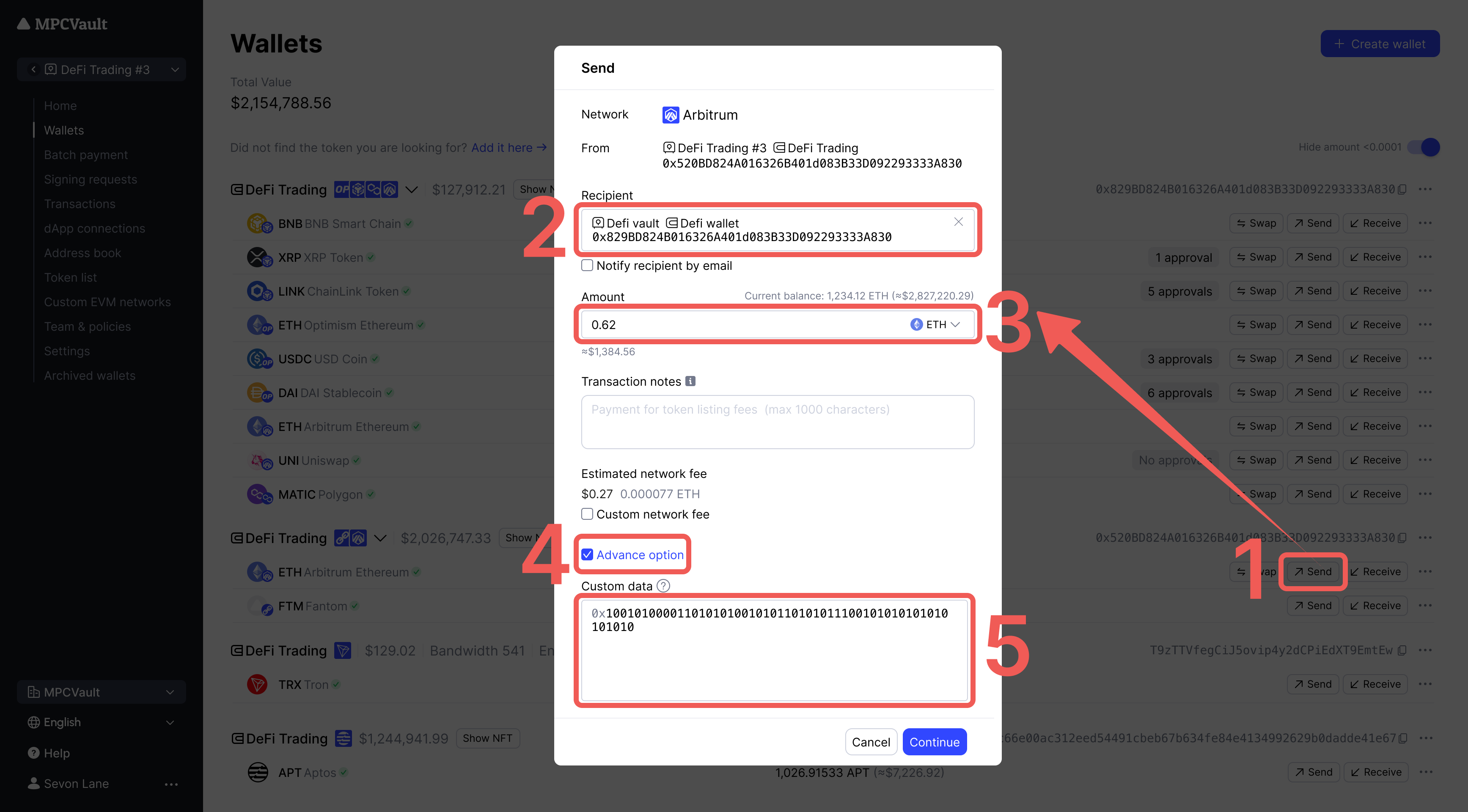
Steps
- Select the native token in your wallet and click Send.
- Click Advanced option and enter hex data in the Custom Data field.
Use Cases
| Action | Recipient | Amount | Custom Data |
|---|---|---|---|
| Deploy contract | Leave empty | Leave empty | Bytecode |
| Call contract | Contract address | 0 (or leave empty) | Function call data |
Custom data must be in hex format. Use abi.hashex.org to encode EVM function calls.