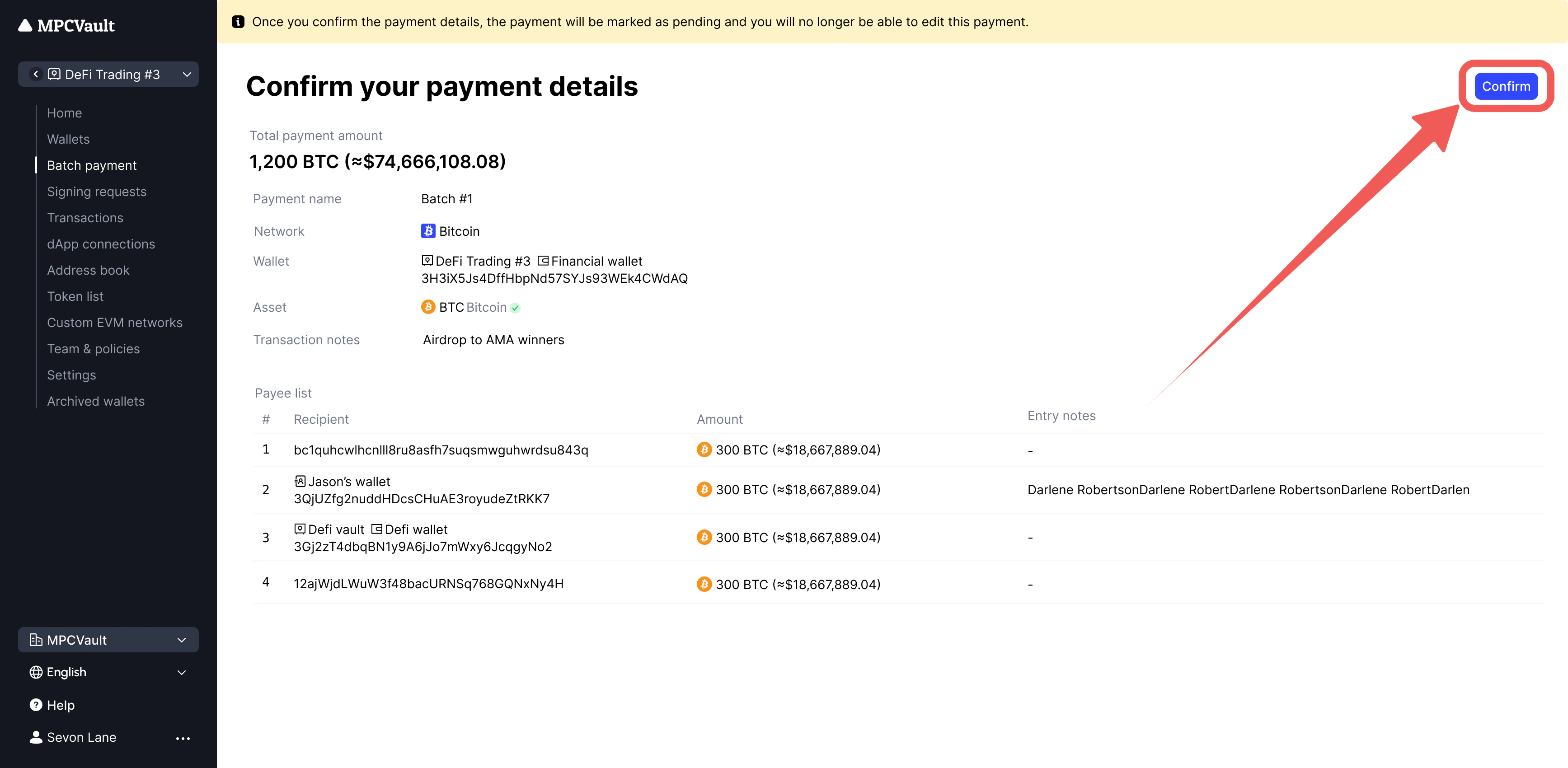
Send to up to 254 recipients in one transaction. Upload a CSV file or clone previous payments. All entries appear in your transaction history.

Supported assets

NetworkAssets
EthereumETH, ERC-20
PolygonPOL, ERC-20
BNB Smart ChainBNB, BEP-20
ArbitrumETH, ERC-20
OptimismETH, ERC-20
Avalanche C-ChainAVAX, ERC-20
BaseETH, ERC-20
BitcoinBTC (Only supports BTC)
SuiSUI, Coin
StoryIP, ERC-20

Creating a Batch Payment

  1. Go to your vault and click Batch payment > New batch payment. New Batch Payment
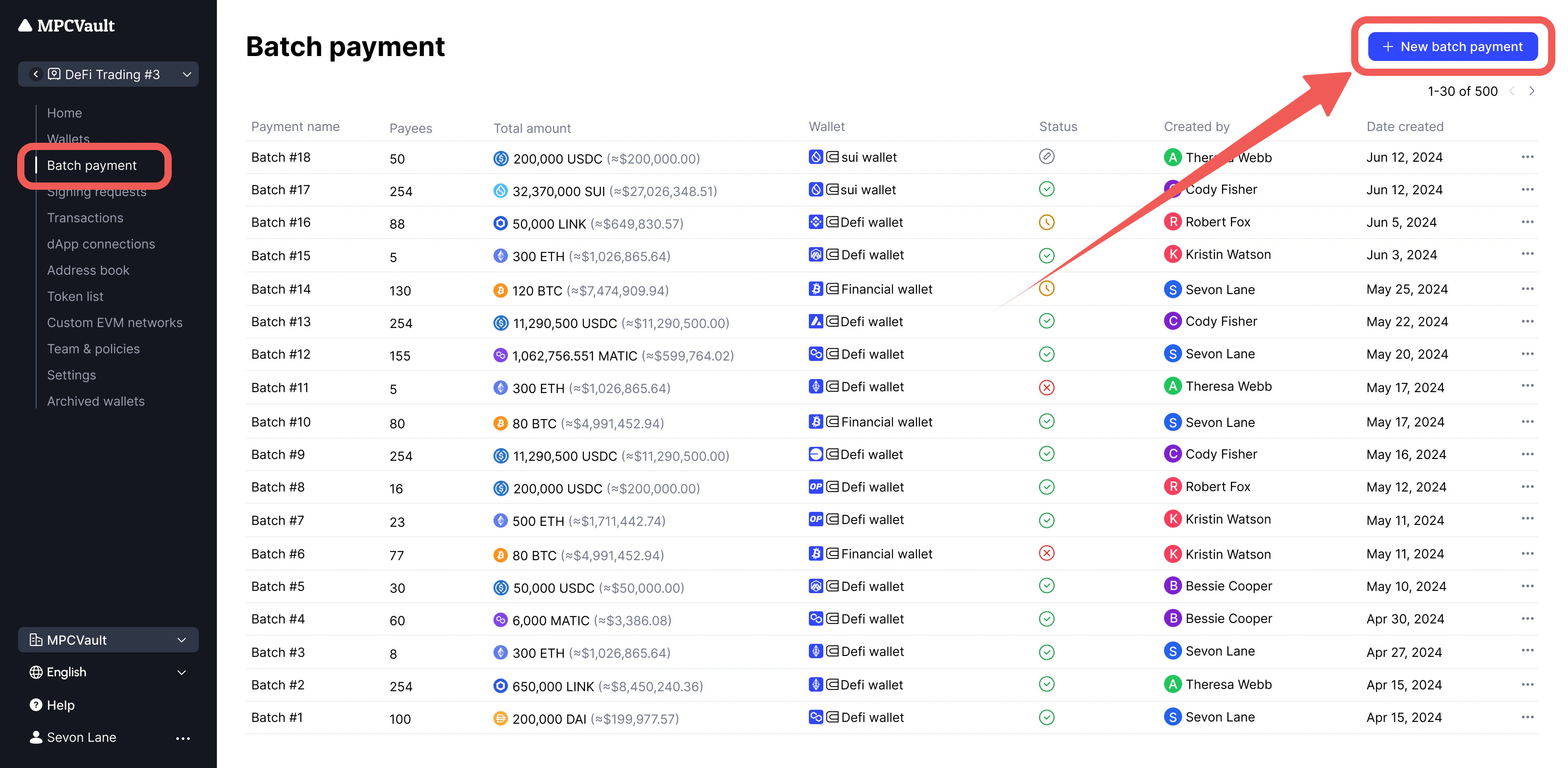
  2. Select wallet and asset. Enter recipients manually or click Upload CSV/Excel. Add Recipients
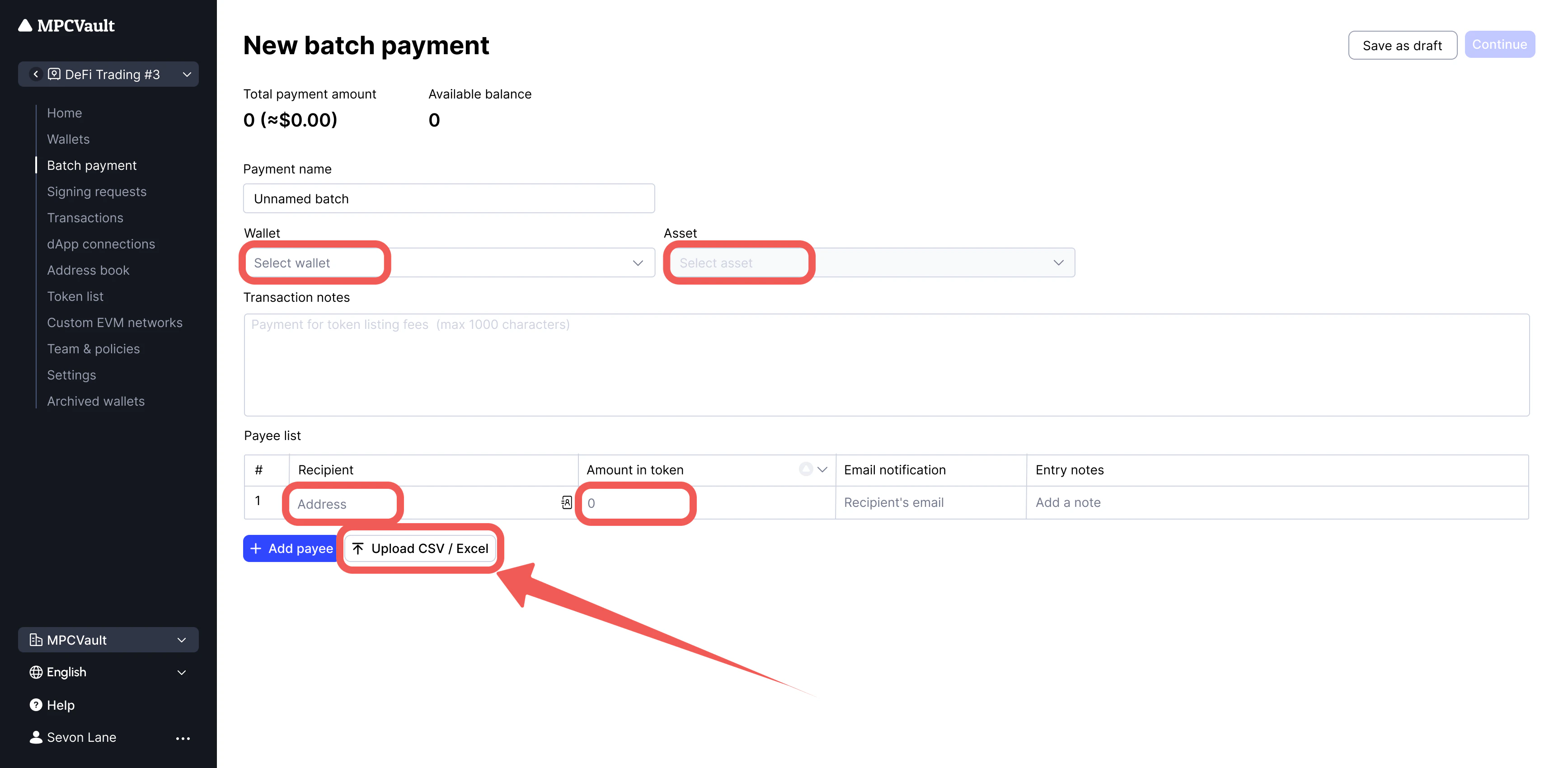
  3. Review details and click Confirm. Confirm Payment
  4. Initiate the transaction:
    • Native tokens: Click Create batch transaction. Native Token
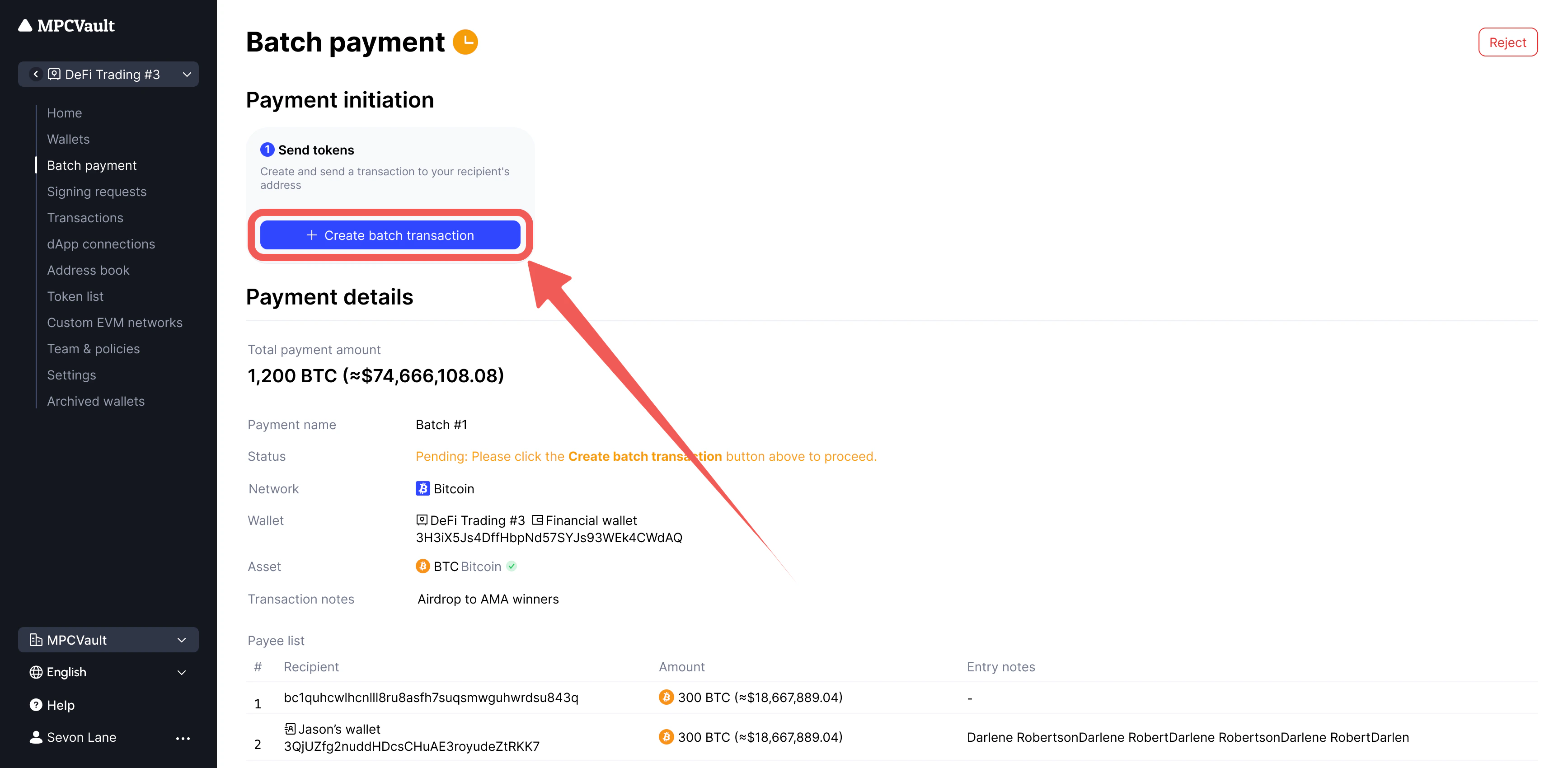
    • ERC-20 tokens: First click Create approval transaction, then Create batch transaction. ERC-20 Token
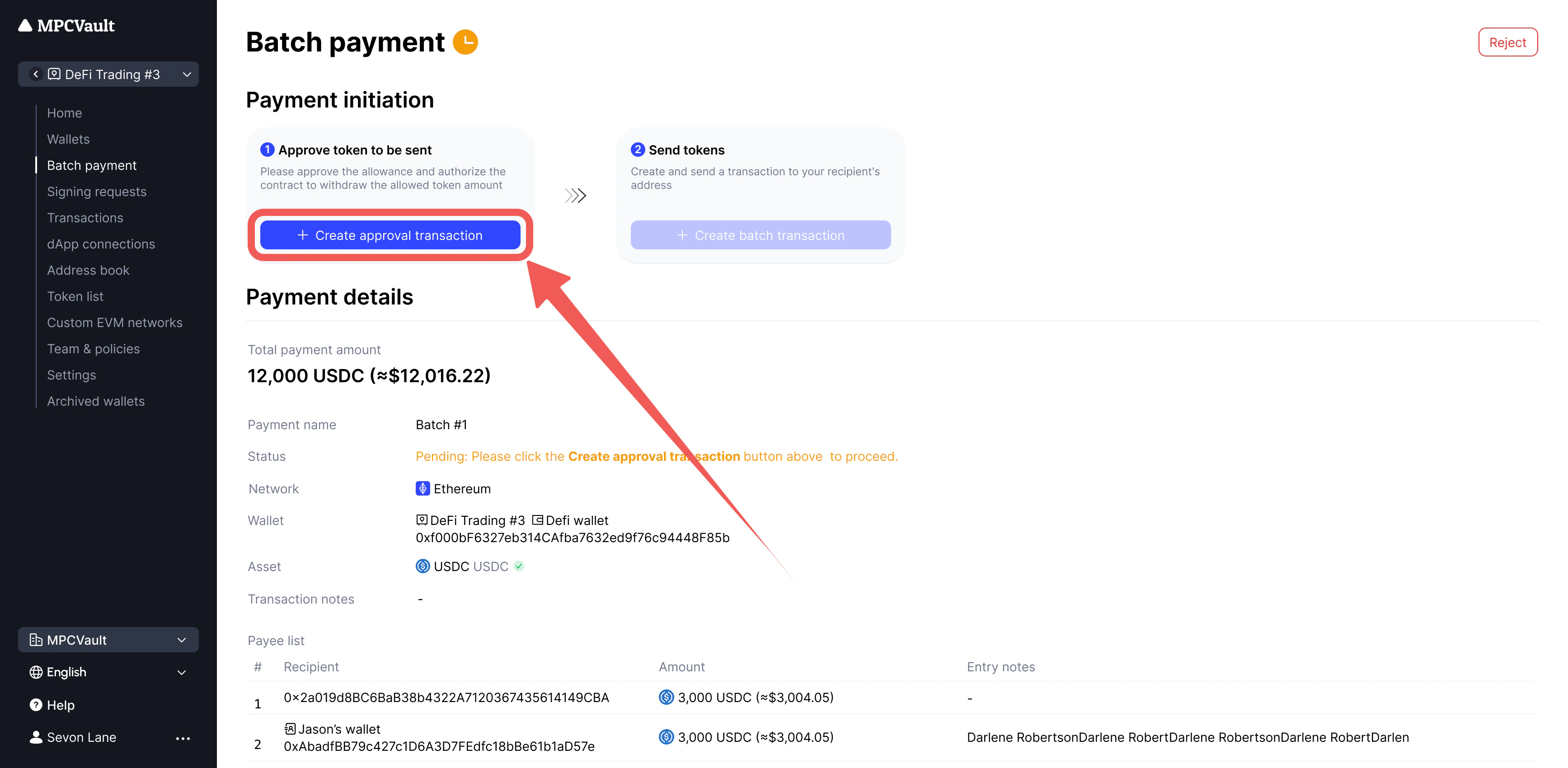
ERC-20 batch payments require approval + send in sequence. Complete both steps for one payment before starting the next.Correct: Approval (300) → Send (300) → Approval (200) → Send (200)Incorrect: Approval (300) → Approval (200) → Send (300) → Send (200) — the 300 send will fail.

USDT/CRV Authorization Issues

Some tokens (USDT, CRV) require revoking existing approvals before setting a new amount. This is an on-chain action that incurs gas fees.

Revoking USDT Approval (Ethereum)

  1. Go to the USDT contract on Etherscan.
  2. Click Connect to Web3.
  3. Find the approve function and set:
    _spender: 0xa4994144a9217e3779bDa588798EfF546b69DEfB
    _value: 0
    
  4. Click Write and sign in the MPCVault app.
Retry the batch payment after the revocation confirms.

MPCVault batch contract

NetworkChain IDBlock explorerBatch contract address
Ethereum1etherscan0xa4994144a9217e3779bda588798eff546b69defb
Polygon137polygonscan0x6569189b6f3c9107abf61383a8f7bbe30263ecde
BNB Smart Chain56bscscan0xa4994144a9217e3779bda588798eff546b69defb
Arbitrum42161arbiscan0x09ef519886ff608c7965d7d8dc4fbed62c083b6e
Optimism10optimistic0xa4994144a9217e3779bda588798eff546b69defb
Avalanche C-Chain43114snowtrace0x09ef519886ff608c7965d7d8dc4fbed62c083b6e
Base8453basescan0x09ef519886ff608c7965d7d8dc4fbed62c083b6e
Story1514storyscan0xD96D782Bc3B3257d7DF78c9e29DA6ef6AC5EdE0B