> ## Documentation Index
> Fetch the complete documentation index at: https://docs.mpcvault.com/llms.txt
> Use this file to discover all available pages before exploring further.
# Token Approval Security
> Manage and revoke token approvals to protect your assets.
Token approvals let dApps interact with your tokens, but they carry risk. If a smart contract you approved gets hacked, your tokens can be stolen. Regularly review and revoke unnecessary approvals.
## Review Approvals in MPCVault
1. Visit [console.mpcvault.com](https://console.mpcvault.com/).
2. Go to **Wallets**.
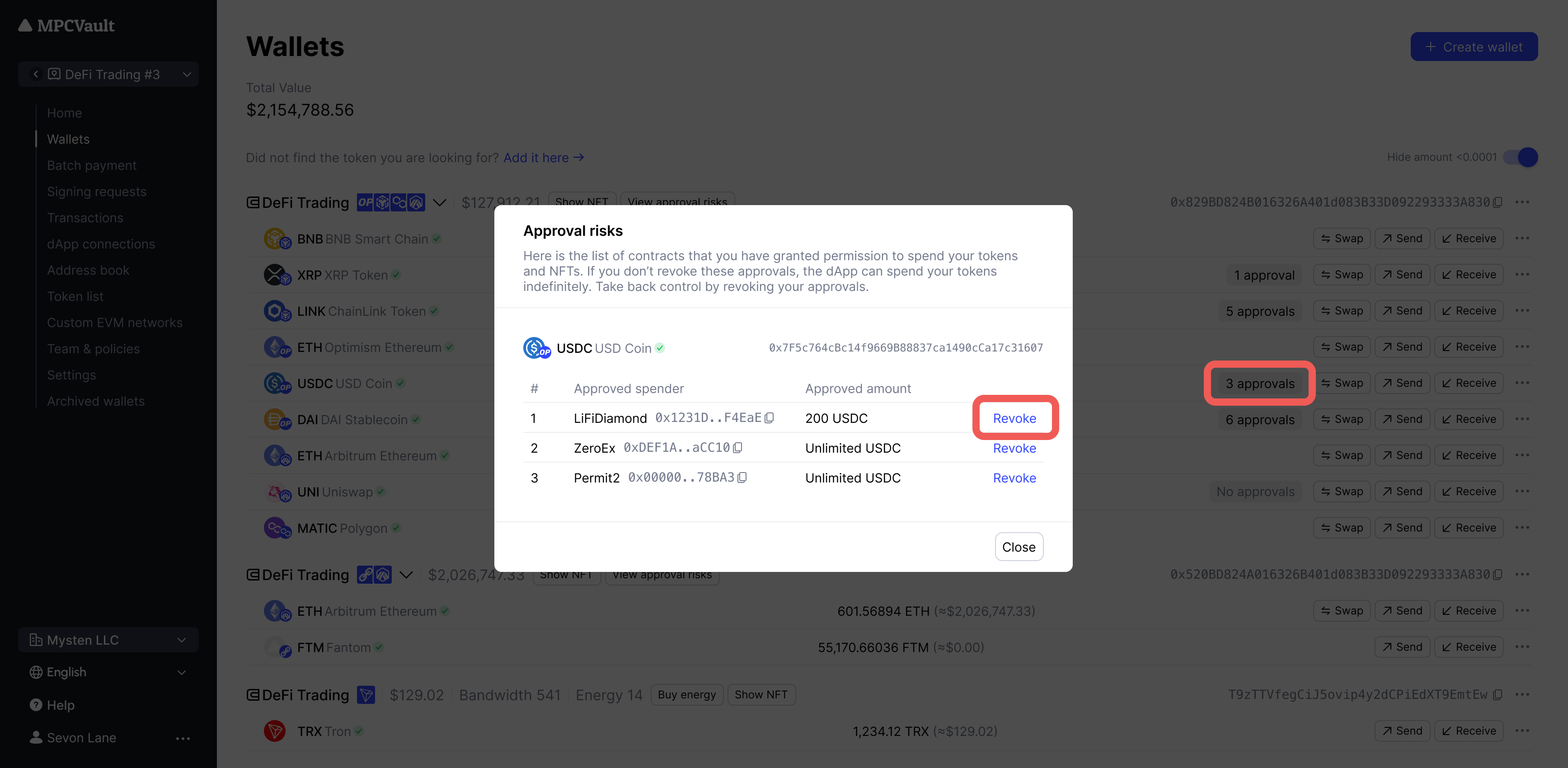
3. Click the **x approval** button on any token.
4. Review the list of approved contracts.
5. Click **Revoke** to submit a signing request.
6. Approve and sign in the MPCVault app.
 ## Review Approvals in Revoke.cash
1. Go to **Wallets** in MPCVault.
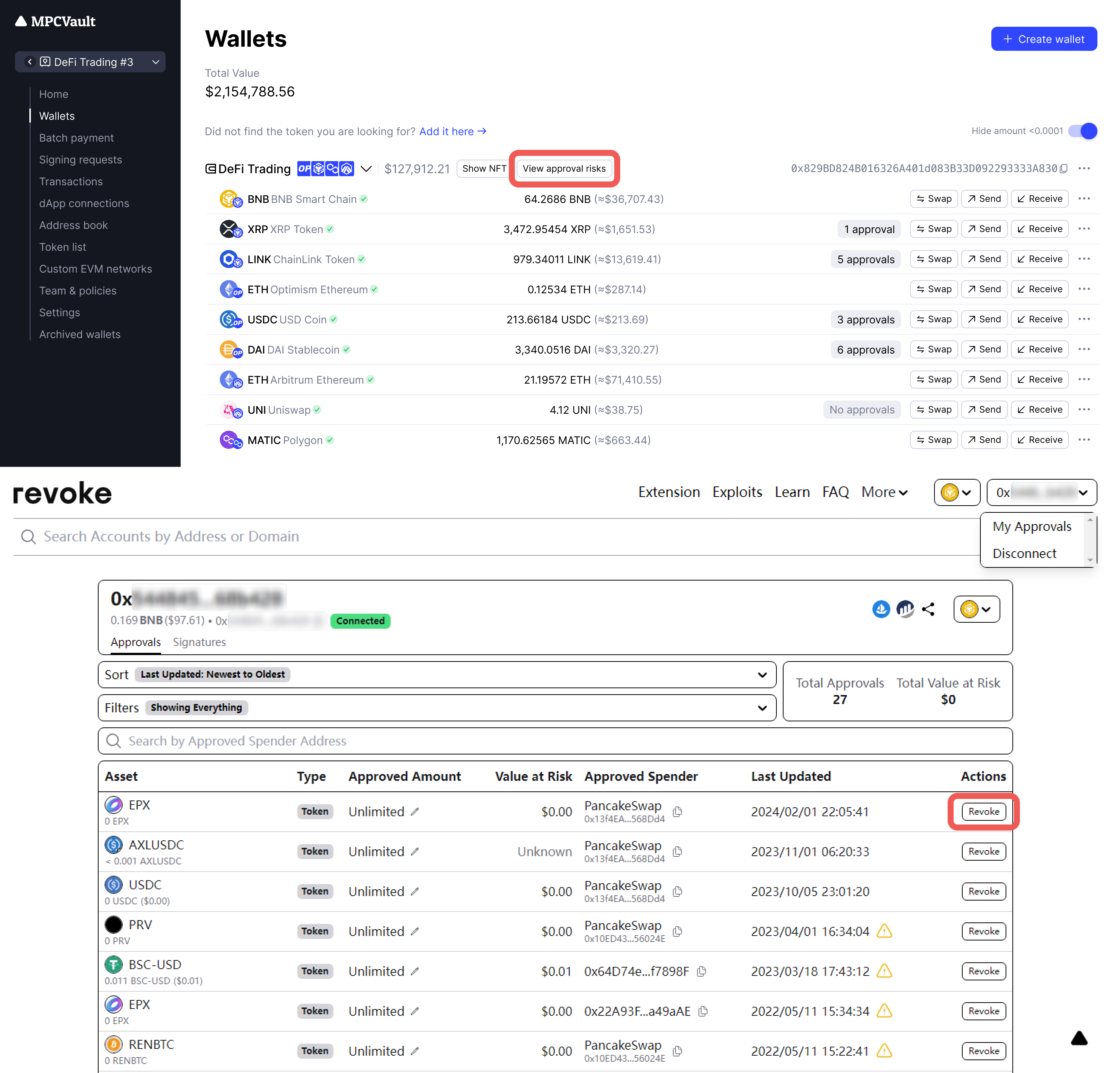
2. Click **View approval risks** to open [Revoke.cash](https://revoke.cash/).
3. Connect your wallet to view all approvals.
4. Revoke or modify approval amounts as needed.
## Review Approvals in Revoke.cash
1. Go to **Wallets** in MPCVault.
2. Click **View approval risks** to open [Revoke.cash](https://revoke.cash/).
3. Connect your wallet to view all approvals.
4. Revoke or modify approval amounts as needed.
 **Best practices:**
* Review approvals monthly, especially after using new dApps
* Revoke unused or outdated authorizations immediately
* Avoid setting unlimited approval amounts
This documentation is built and hosted on [Mintlify](https://mintlify.com), a developer documentation platform.
**Best practices:**
* Review approvals monthly, especially after using new dApps
* Revoke unused or outdated authorizations immediately
* Avoid setting unlimited approval amounts
This documentation is built and hosted on [Mintlify](https://mintlify.com), a developer documentation platform.