> ## Documentation Index
> Fetch the complete documentation index at: https://docs.mpcvault.com/llms.txt
> Use this file to discover all available pages before exploring further.
# Custom EVM Networks
> Add any EVM-compatible chain not natively supported by MPCVault.
Add custom EVM networks when your chain isn't listed or to recover funds sent to the wrong network.
## Setup Process
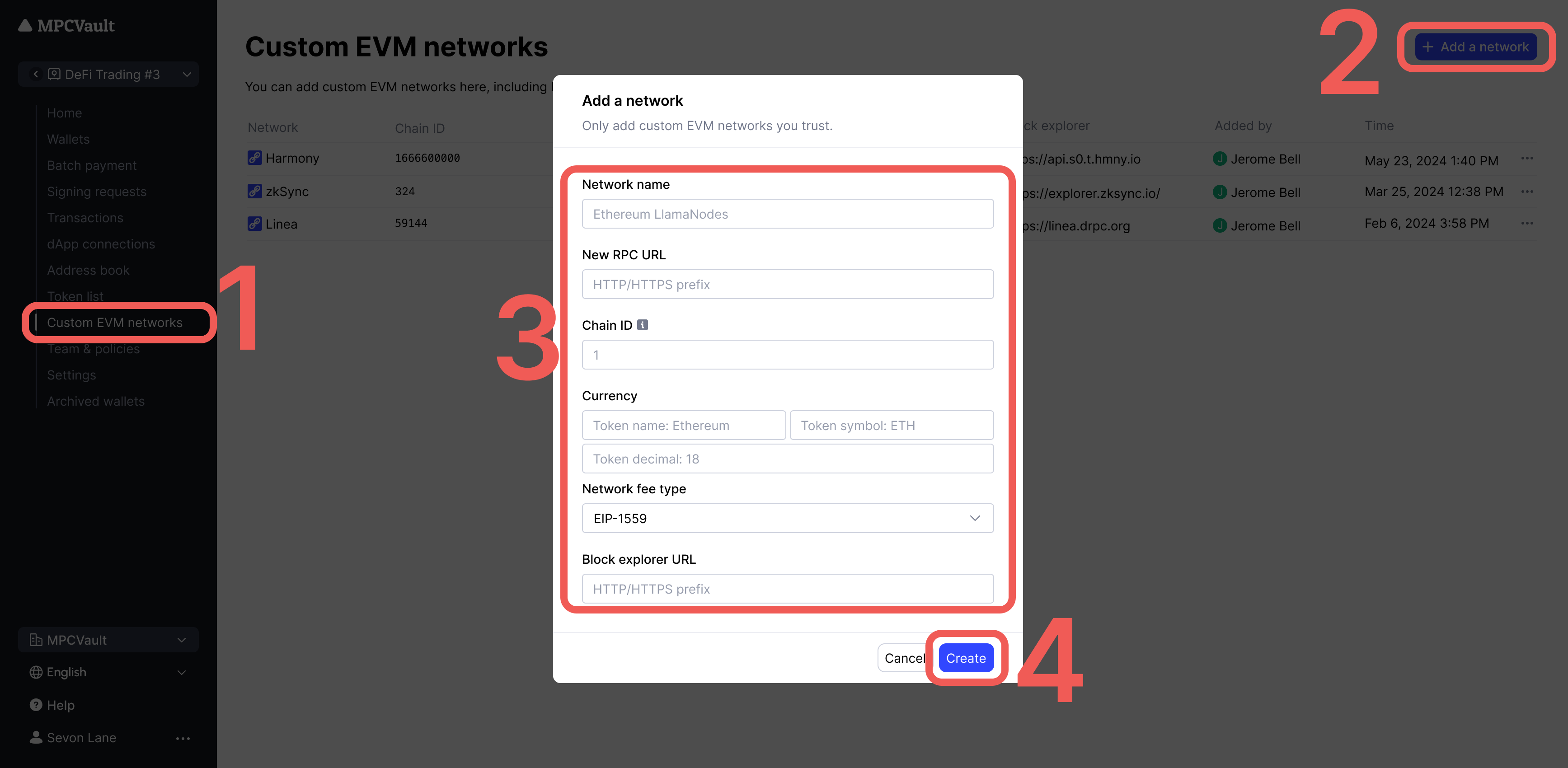
1. Add the network in **Custom EVM networks** settings
2. Import tokens via **Token list** (see [Manage Tokens & NFTs](/guides/7-how-to-manage-your-tokens-and-nfts/index))
3. Add the custom chain to your wallet
4. Transact as you would on any EVM chain
## Add a Custom Network
1. Go to [console.mpcvault.com](https://console.mpcvault.com/).
2. Navigate to vault settings > **Custom EVM networks**.
3. Click **+ Add a network** and enter the chain details.
4. Click **Create** to save.
 Only add trusted RPC URLs. Reference [Chainlist](https://chainlist.org/) for verified chain and node information.
## Troubleshooting
### Transaction Not Found
The transaction may not have been broadcast yet. Use the **Re-broadcast** button in the signing request details.
### Transaction Failed
Usually caused by incorrect gas settings. Reference recent similar transactions on a block explorer to find appropriate values.
### "Intrinsic gas too low" Error
1. Find your chain's block explorer (search "\[chain name] explorer")
2. Locate a recent successful transaction of the same type
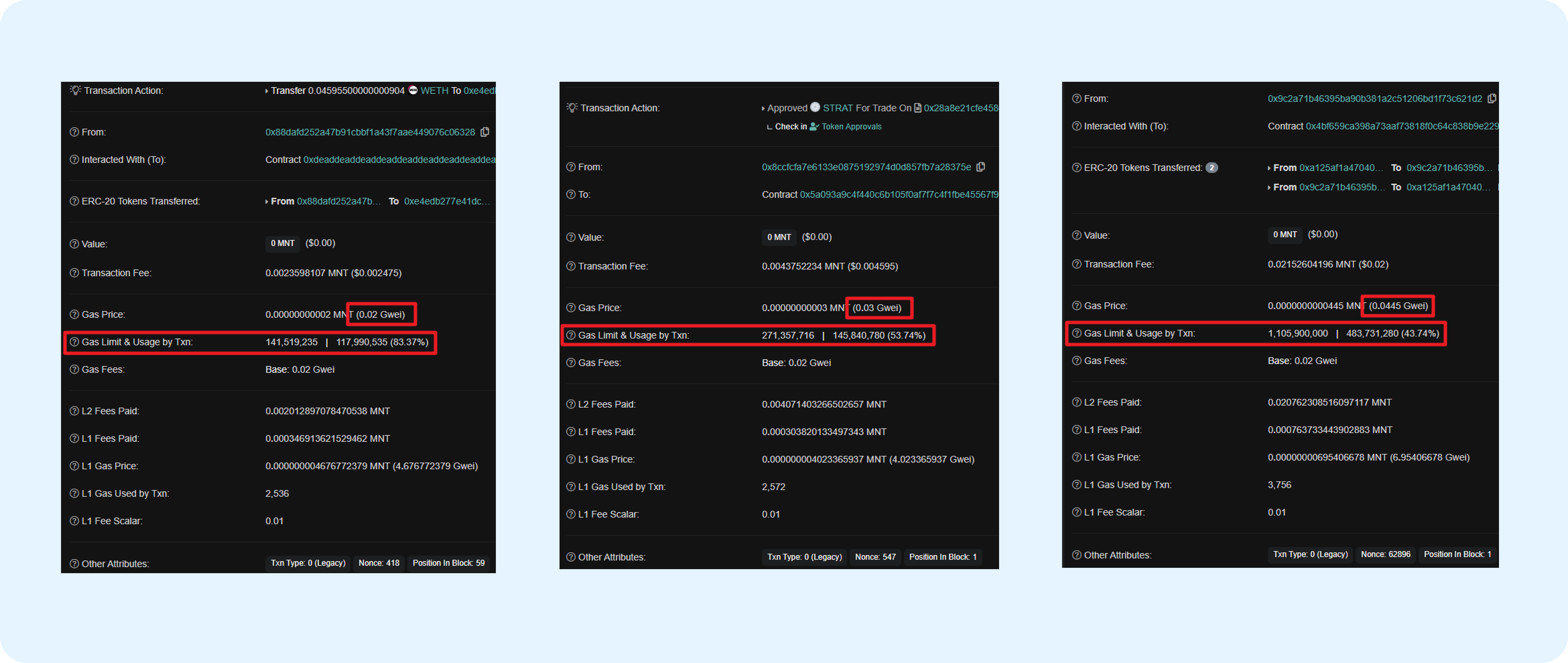
3. Check the **Gas Limit & Usage** and **Gas Price** fields
4. Set your gas slightly higher than the reference values
Only add trusted RPC URLs. Reference [Chainlist](https://chainlist.org/) for verified chain and node information.
## Troubleshooting
### Transaction Not Found
The transaction may not have been broadcast yet. Use the **Re-broadcast** button in the signing request details.
### Transaction Failed
Usually caused by incorrect gas settings. Reference recent similar transactions on a block explorer to find appropriate values.
### "Intrinsic gas too low" Error
1. Find your chain's block explorer (search "\[chain name] explorer")
2. Locate a recent successful transaction of the same type
3. Check the **Gas Limit & Usage** and **Gas Price** fields
4. Set your gas slightly higher than the reference values
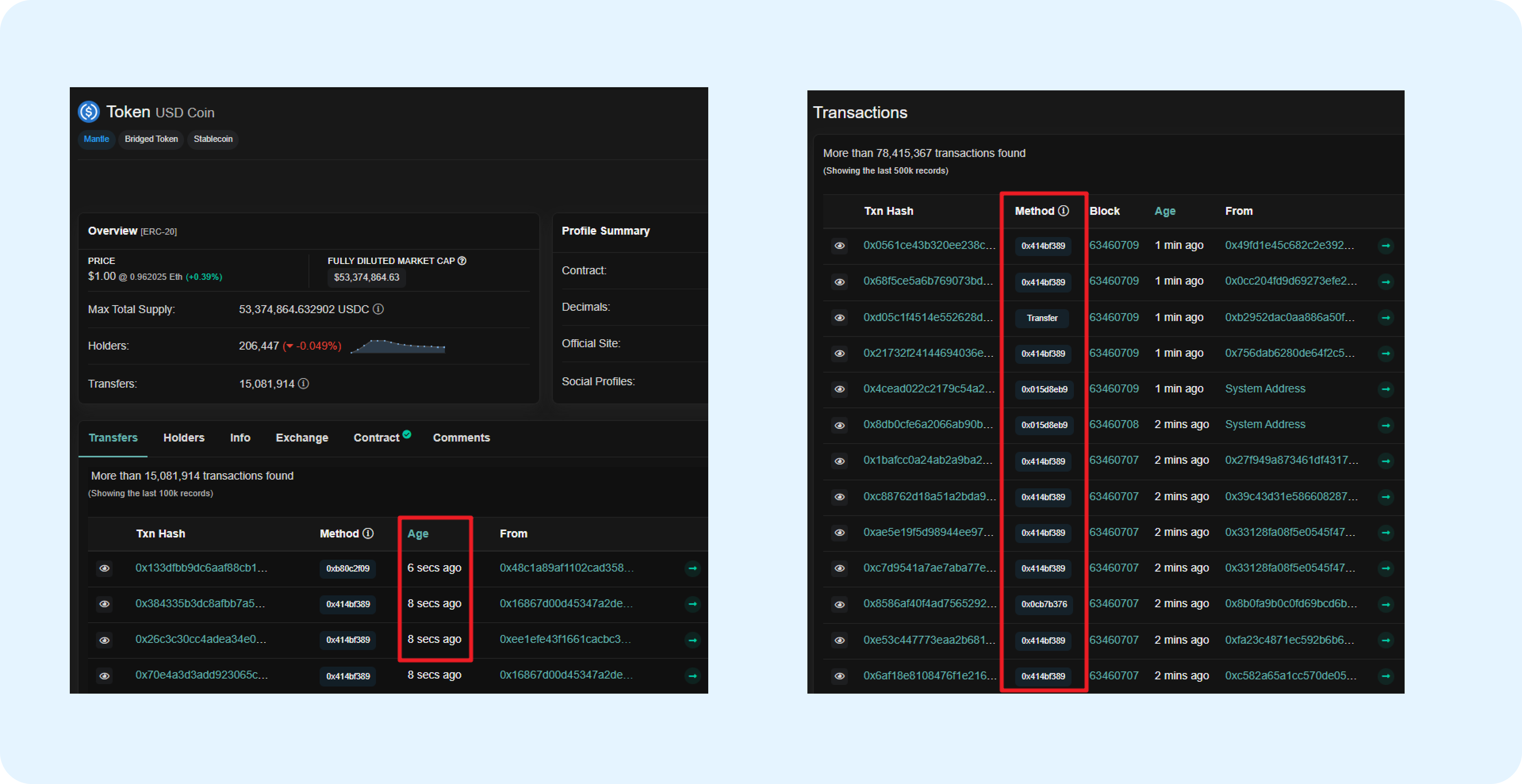 Match the transaction type (Legacy or EIP-1559) when referencing gas values.
 ### "Nonce too low" Error
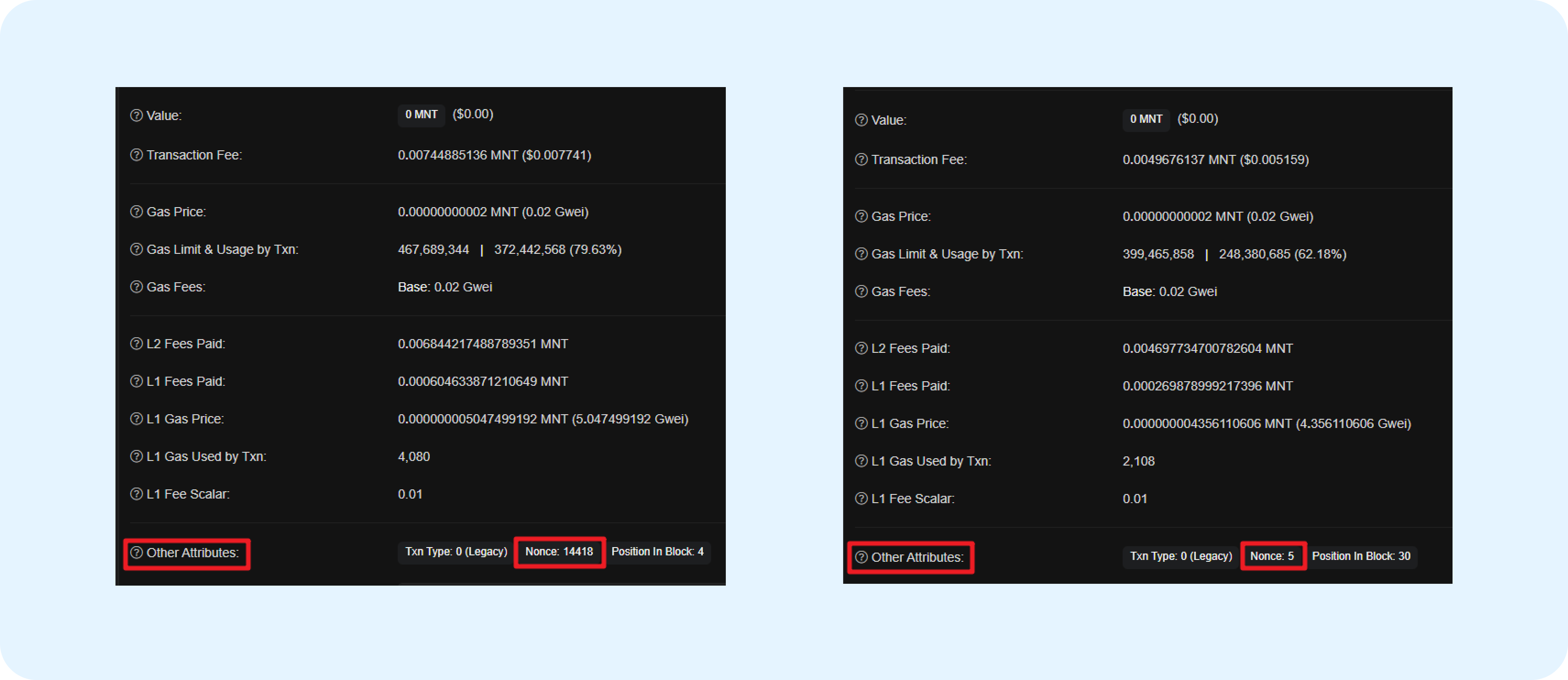
Re-initiate with the correct nonce. The nonce starts at 0 and increments by 1 for each transaction. Check the block explorer for your wallet's latest nonce.
### "Nonce too low" Error
Re-initiate with the correct nonce. The nonce starts at 0 and increments by 1 for each transaction. Check the block explorer for your wallet's latest nonce.
 ### Empty Gas/Nonce Fields
If fields are frequently empty, your RPC node may be unstable. Update to a more reliable RPC URL from [Chainlist](https://chainlist.org/).
### Empty Gas/Nonce Fields
If fields are frequently empty, your RPC node may be unstable. Update to a more reliable RPC URL from [Chainlist](https://chainlist.org/).