> ## Documentation Index
> Fetch the complete documentation index at: https://docs.mpcvault.com/llms.txt
> Use this file to discover all available pages before exploring further.
# Back Up Your Key Certificate
> Secure your personal key certificate to maintain access to your assets.
MPCVault is non-custodial. If you lose your key certificate, you will not be able to access your crypto assets. Back up your key certificate immediately after generating it.
## Backup Methods
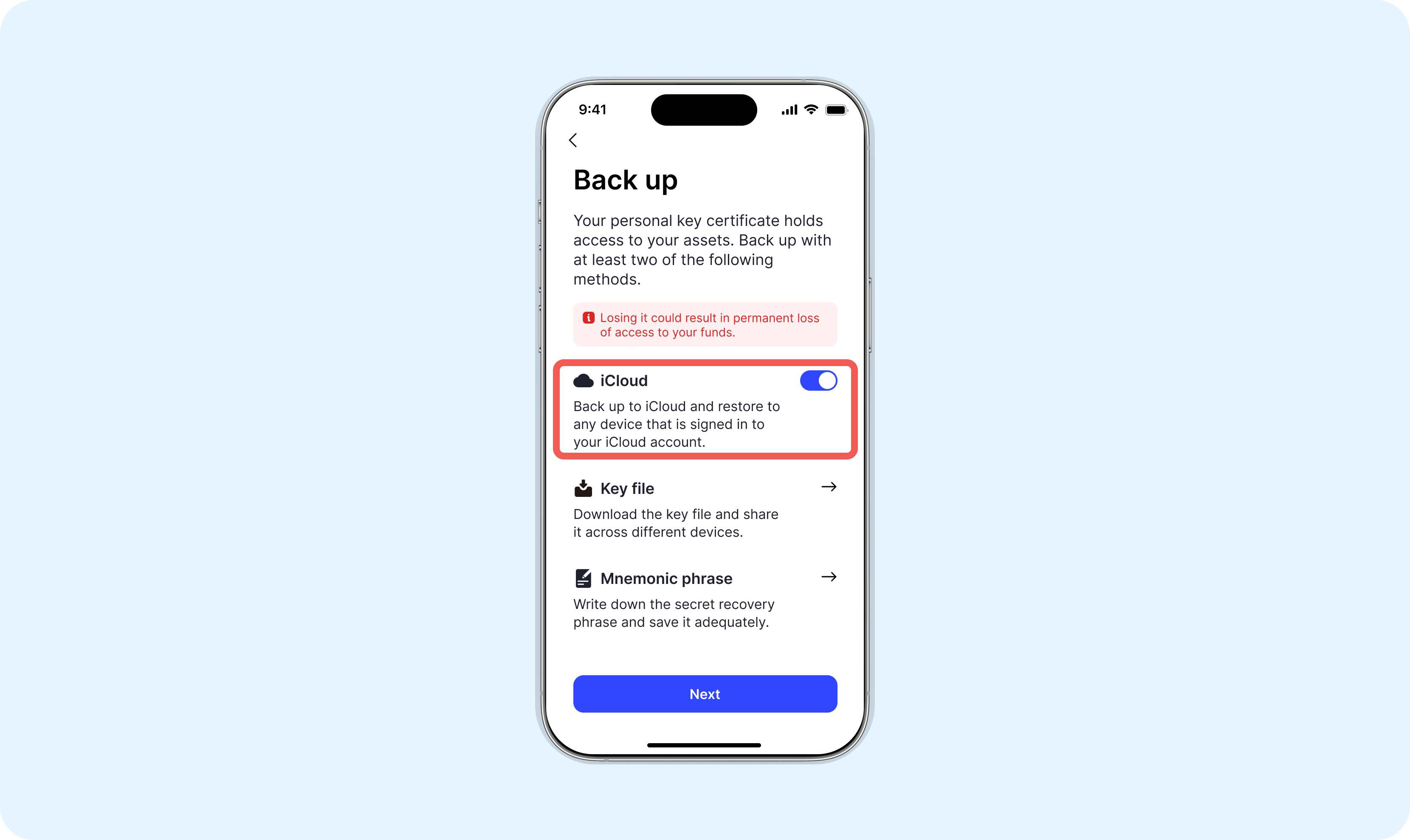
We recommend using at least two backup methods.
### iCloud Backup (iOS Only)
If iCloud backup is enabled on your iPhone, your key certificate is automatically backed up. You can access it from any device logged into your iCloud account.
Disabling iCloud backup in settings will delete existing iCloud backups.
 ### Mnemonic Phrase
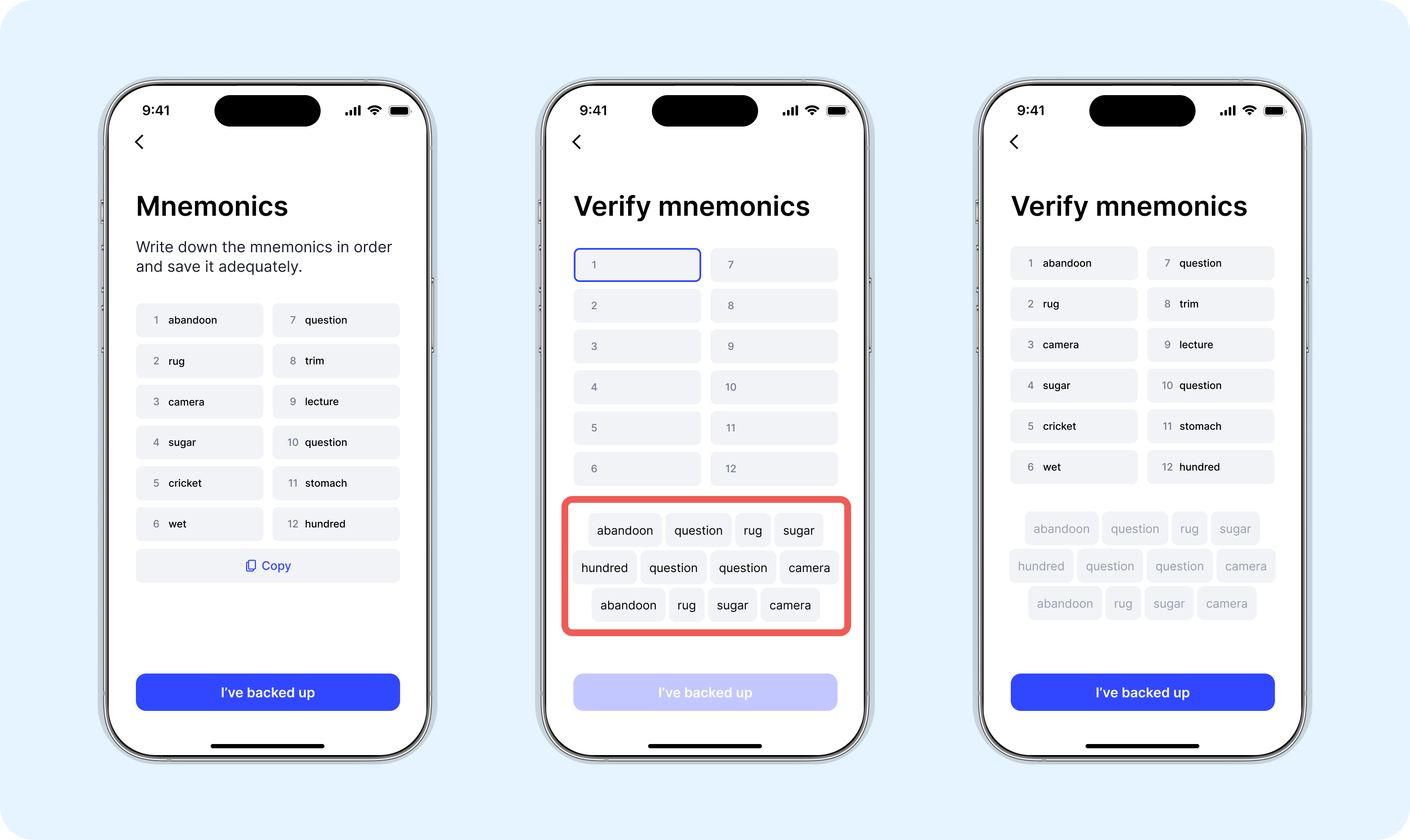
Write down the mnemonic phrase provided during setup and store it in a secure location. This phrase can recreate your key certificate.
### Mnemonic Phrase
Write down the mnemonic phrase provided during setup and store it in a secure location. This phrase can recreate your key certificate.
 ### Download Key Files
Download your key certificate files and save them to iCloud or another secure storage location.
### Download Key Files
Download your key certificate files and save them to iCloud or another secure storage location.
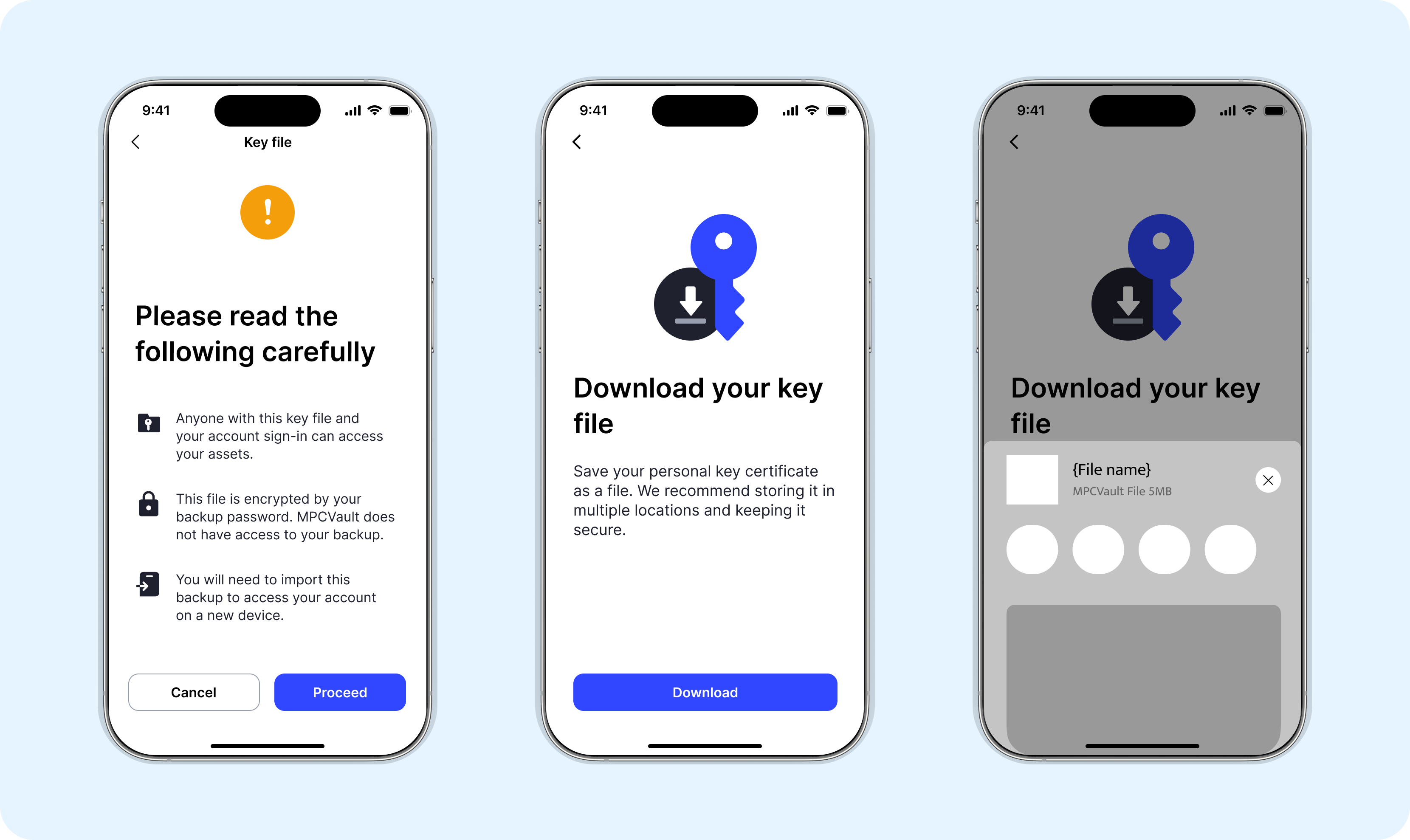 The password encrypting your backup is as important as the backup itself. Keep it secure for future device recovery.
## Creating Additional Backups
You can create a new backup anytime from **Me** > **Back up personal key certificate** in the mobile app.
The password encrypting your backup is as important as the backup itself. Keep it secure for future device recovery.
## Creating Additional Backups
You can create a new backup anytime from **Me** > **Back up personal key certificate** in the mobile app.